BrewFlow
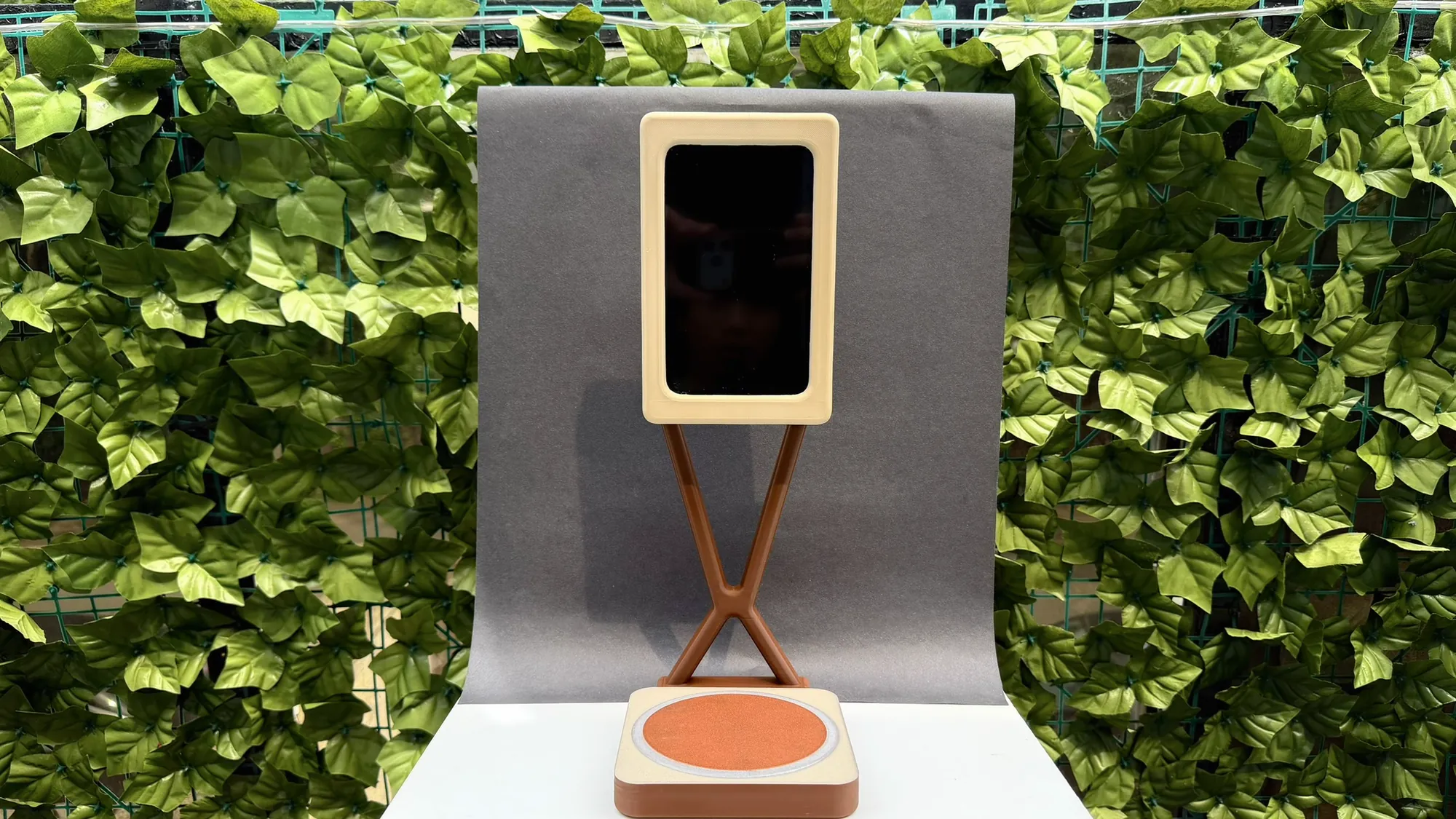
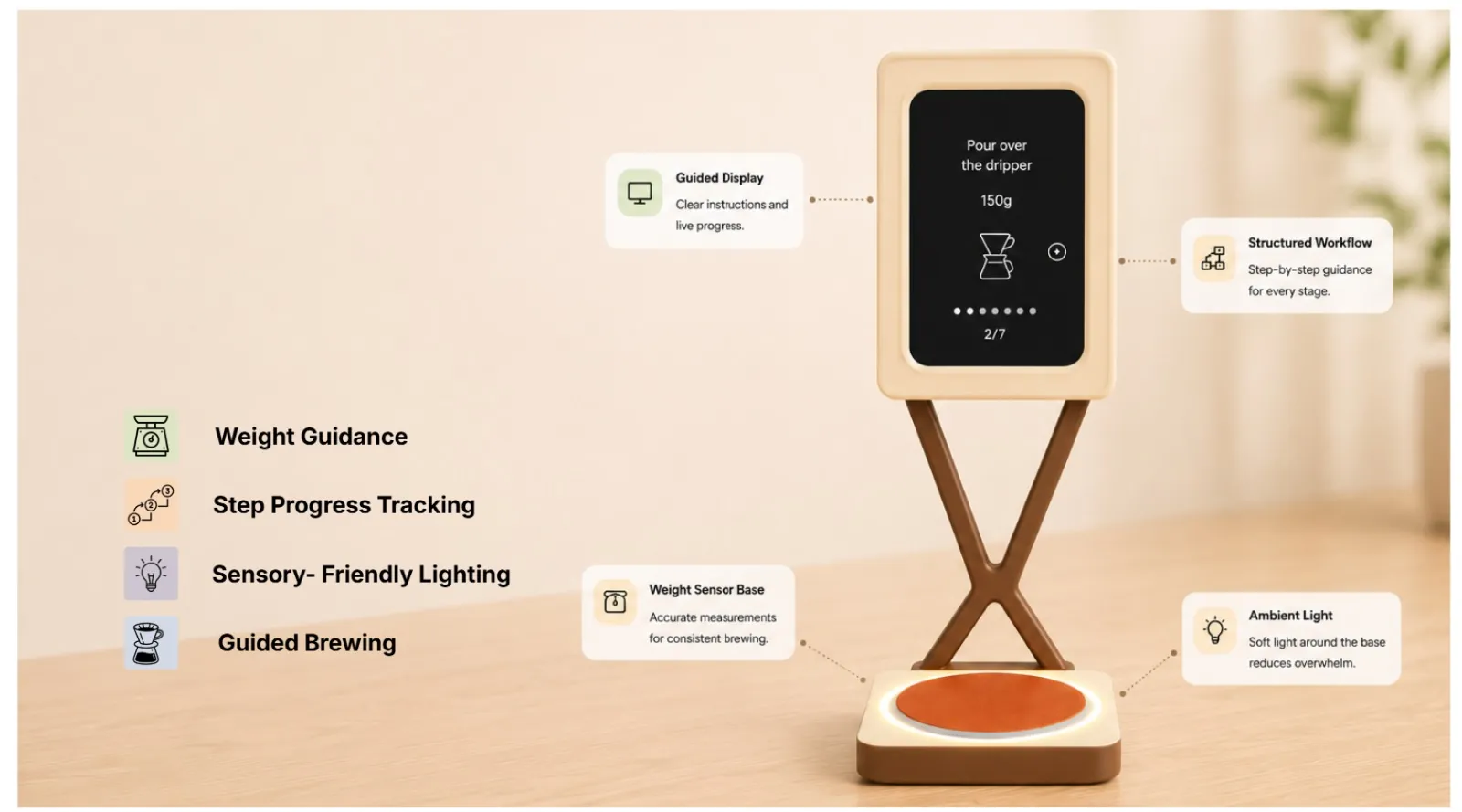
A coffee station that guides you through every drink, one step at a time. It was designed with Beresford Street Kitchen, where many of the crew are neurodivergent, and it was built to be accessible from the first sketch rather than adapted at the end. Weighing coaster, portrait screen, soft light and gentle sound: each one tells you what to do next without you having to remember it.
- Partner
- Beresford Street Kitchen, a social enterprise café in Jersey
- Team
- Five designers over eleven weeks
- My part
- Product design, all the code and UI, and finishing the build
- Outcome
- A working prototype that weighs, guides, lights up and speaks
Accessible from the start, not as an afterthought
Most workplace tools are designed for an imagined "standard" user. Accessibility gets added later, if at all, as a special mode or an extra accessory, and the person who needs it is singled out every time they use it.
BrewFlow starts from the other end. Its first users are the crew of Beresford Street Kitchen (BSK), a Jersey social enterprise that runs a café, catering service and print works staffed by people with learning disabilities and autism. Making coffee is one of the café's most frequent tasks, and one of its most demanding: several steps, in the right order, at speed, often with a customer waiting.
We designed the product around their needs from the first research visit. The result is calm, warm and simple, and it reads clearly at a glance. It doesn't look like an assistive device. It looks like a good barista tool that happens to work for everyone.
If the design only works once you've learned it, it isn't finished. Every part of BrewFlow should tell you what to do with it.
Designing it, coding it, finishing it
BrewFlow was a five-person team project. I worked on every stage, and I owned the parts that make it a product: the overall design, all of the code and the whole user interface. I then saw it through to the finished prototype.
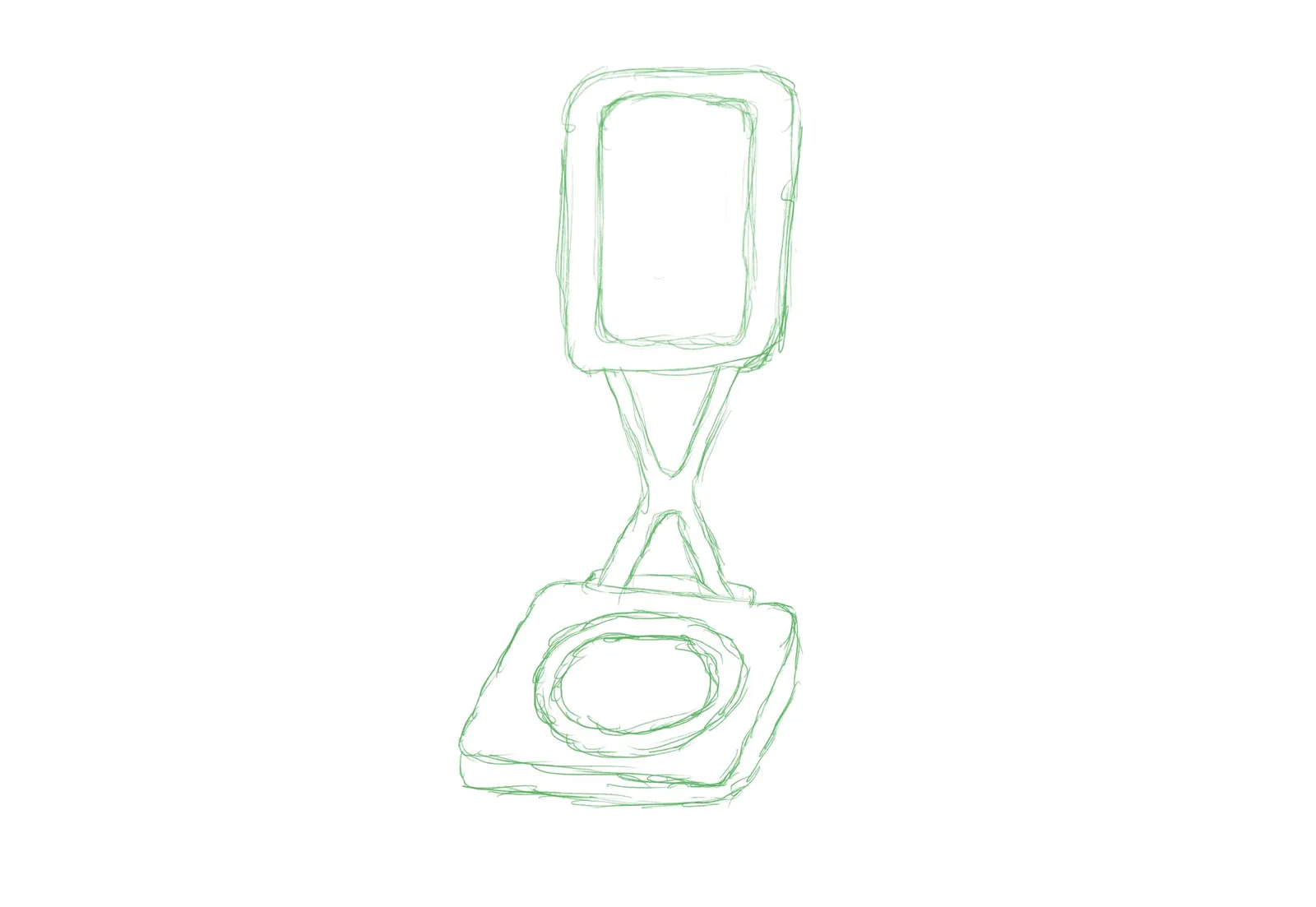
The design direction is mine, from the portrait screen on an X stand to the soft, warm, rounded form and the way the scale, screen, light and sound each say the same thing. I wrote all of the software: the Python service on the Raspberry Pi that reads the load cell and streams weights over a WebSocket, the web interface with its pictograms, step logic, text to speech and chimes, and the link to the WLED lighting.
The CAD was shared between Maxinne, Daniel and me. Once the parts existed, I went back through all of them and adjusted radii, proportions and joints so the screen cover, stand, mount and base flow together as one consistent product rather than a set of separate pieces. I also built the project website with Maxinne.
The product design
Form, layout and interaction: a calm, warm object whose affordances and signifiers make every step obvious.
All of the code
Load-cell service on the Pi, WebSocket streaming, the step engine and the WLED lighting control.
The whole interface
Colour-and-shape pictograms, one step per screen, the weight bar, text to speech and the audio cues.
CAD and the final build
Co-modelled the parts, then unified them so they read as one product, and finished the working prototype.
The barrier is in the system, not the person
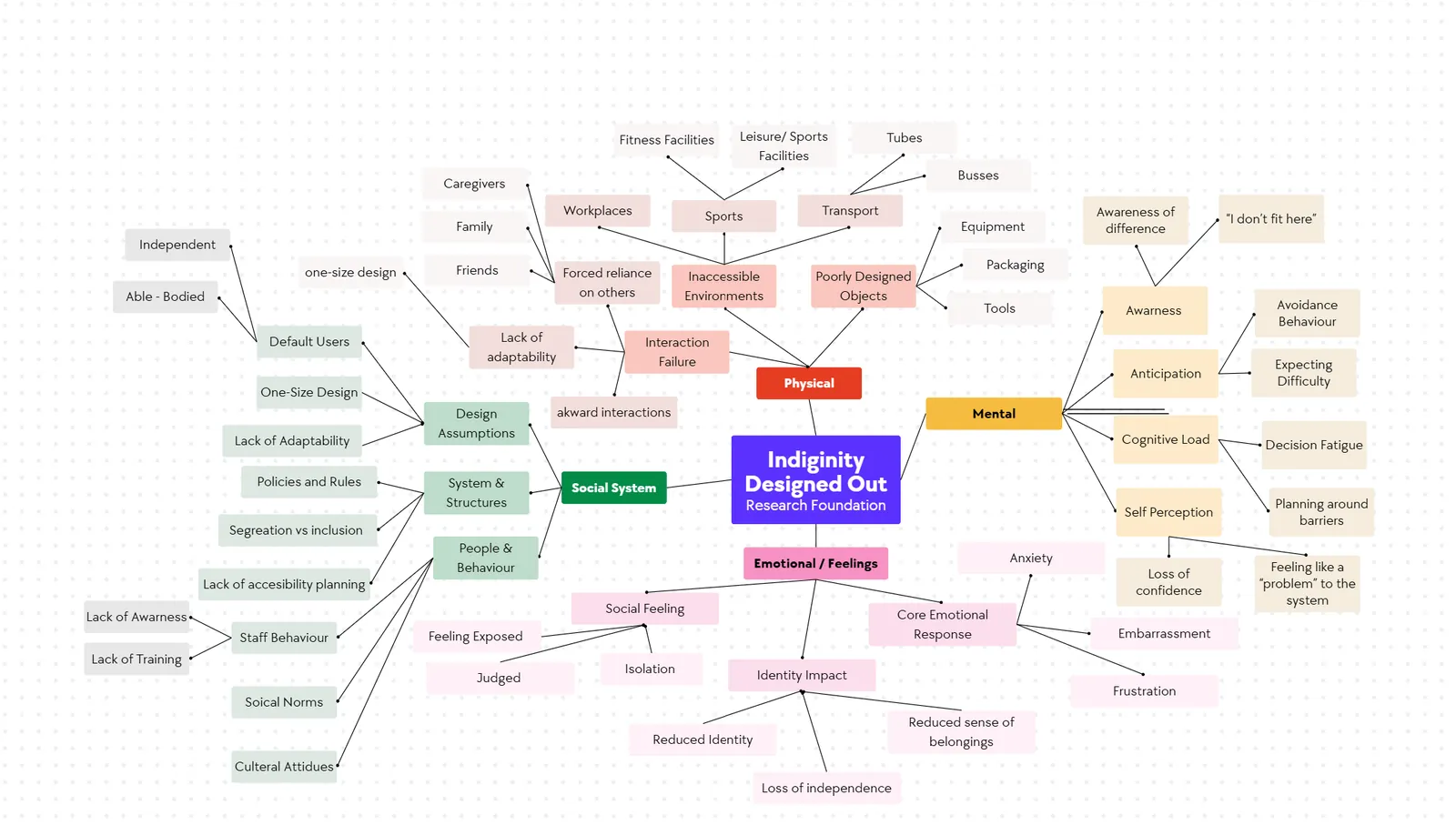
We worked from the social model of disability: people are disabled by barriers in the environment, not by their own minds or bodies. So the question was never "how do we help the crew cope?" It was "what in the coffee-making system makes this harder than it needs to be?"
Café tools, workflows and workspaces are built to generic standards, not to the range of sensory, physical and cognitive needs of the people who use them. That limits what roles crew members are trusted with, and how confident they feel doing them. The barriers fell into three groups.
Multi-step drinks rely heavily on memory and constant task switching.
Harsh lighting, heat, noise and visual clutter quickly lead to overstimulation.
Poor organisation and unsuitable tools slow people down and knock their confidence.
Watching coffee get made
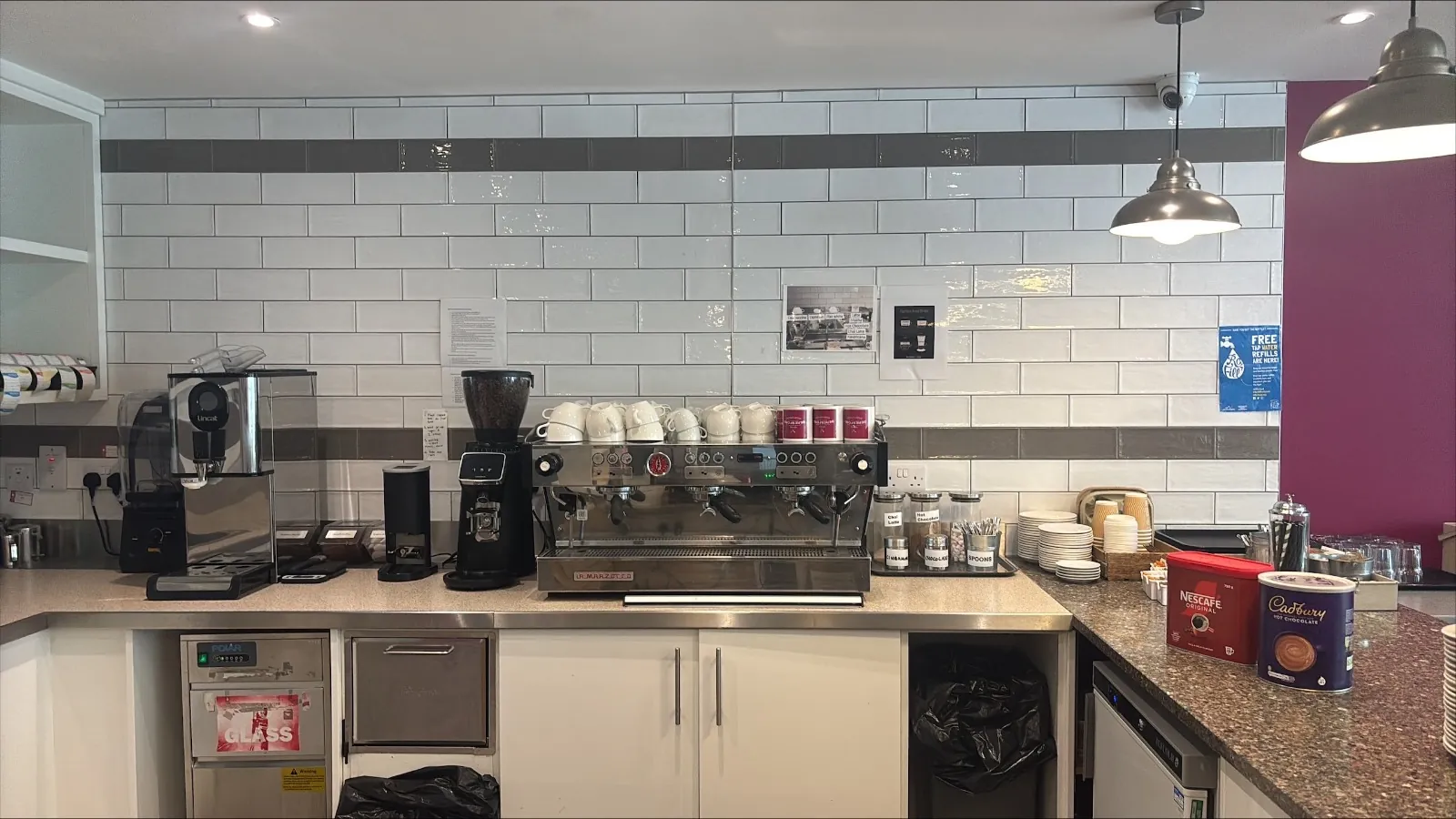
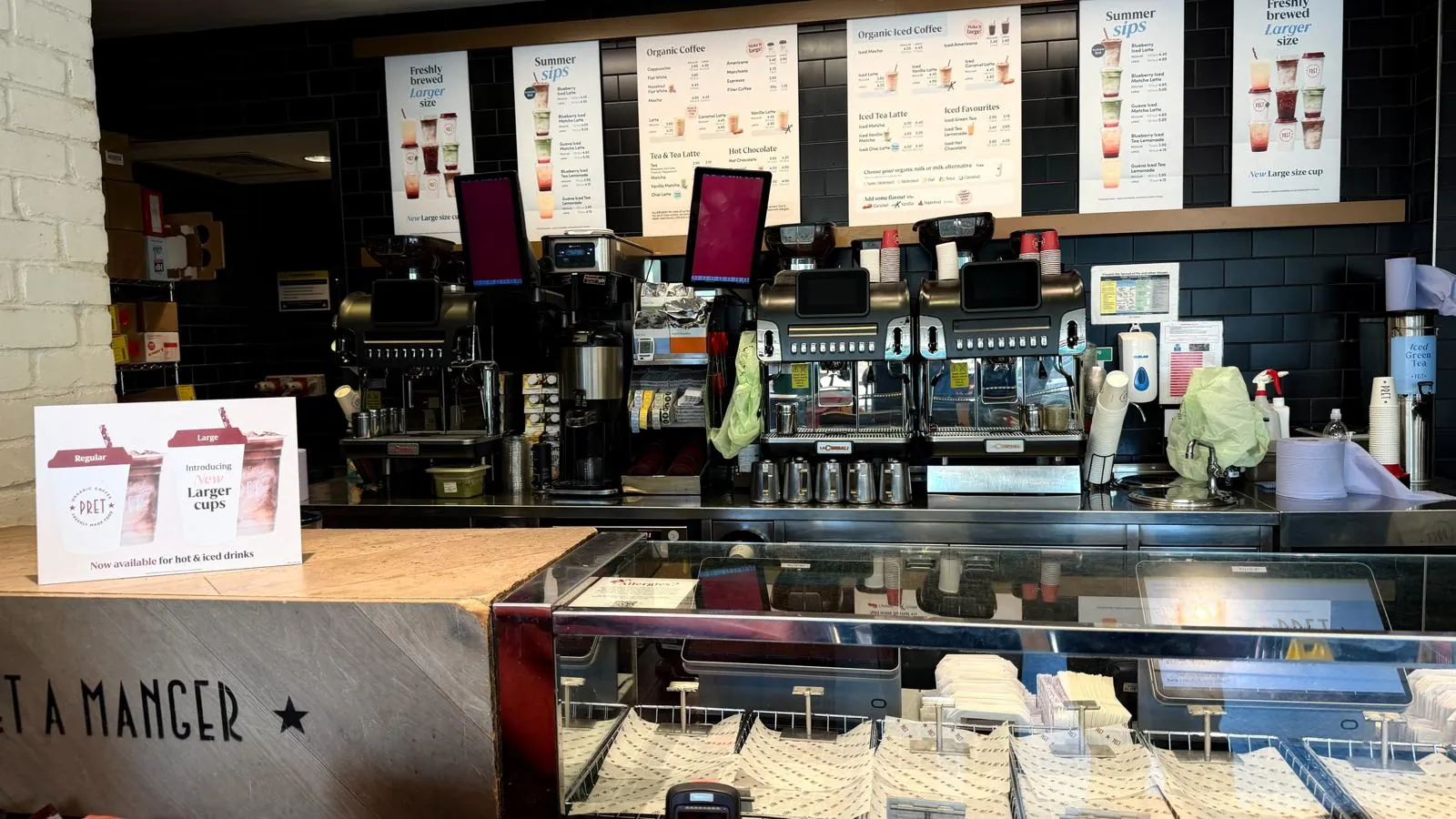
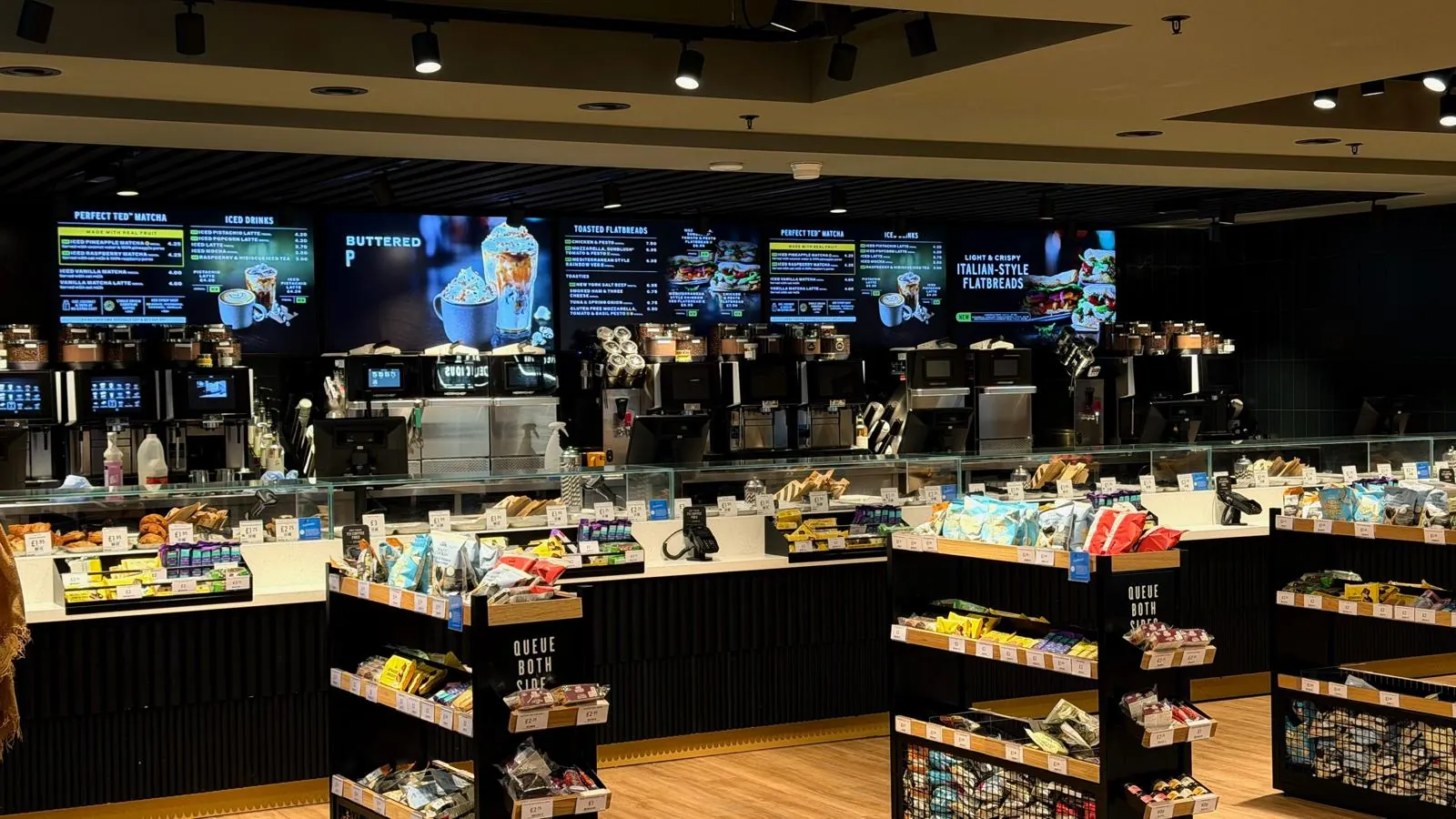
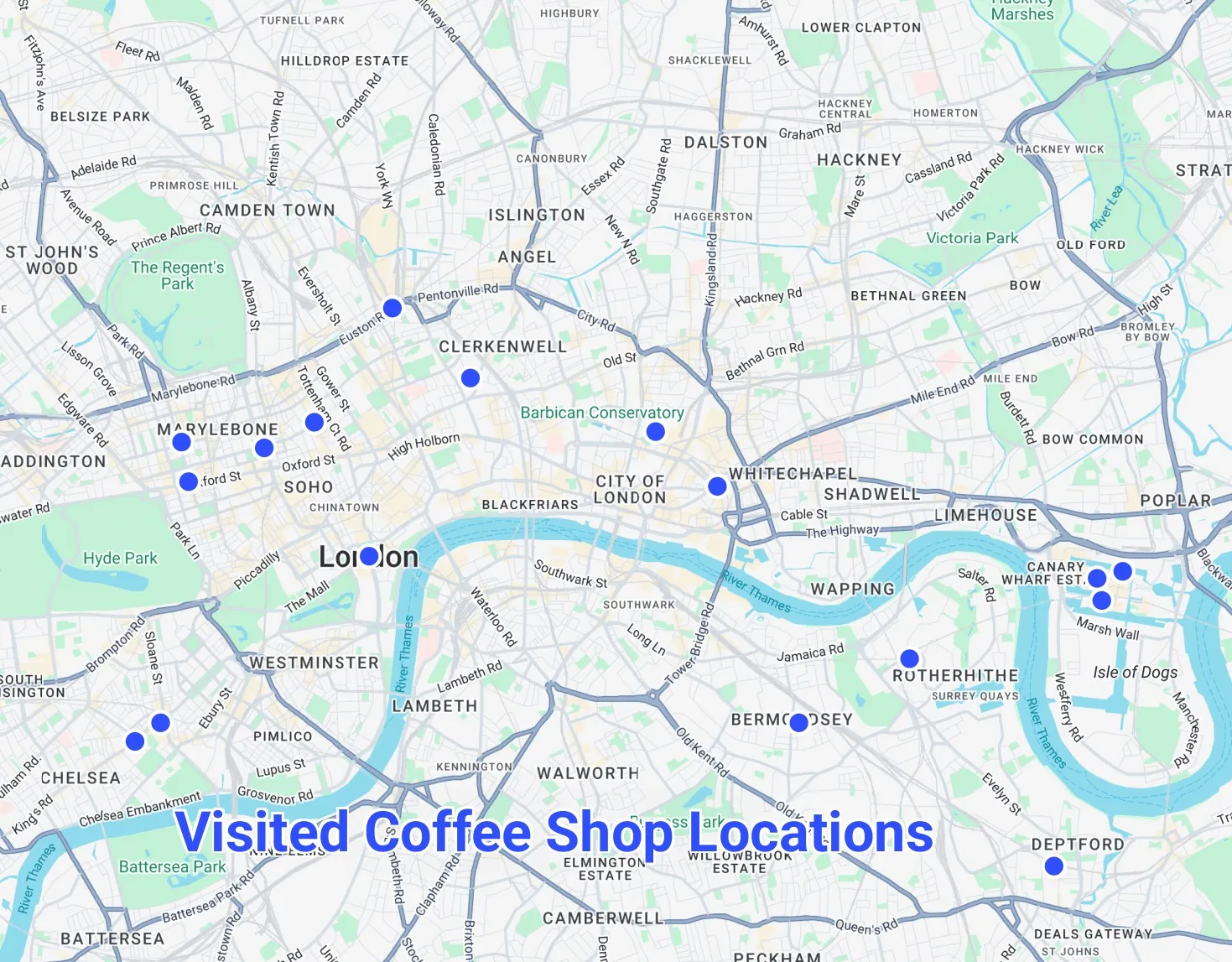
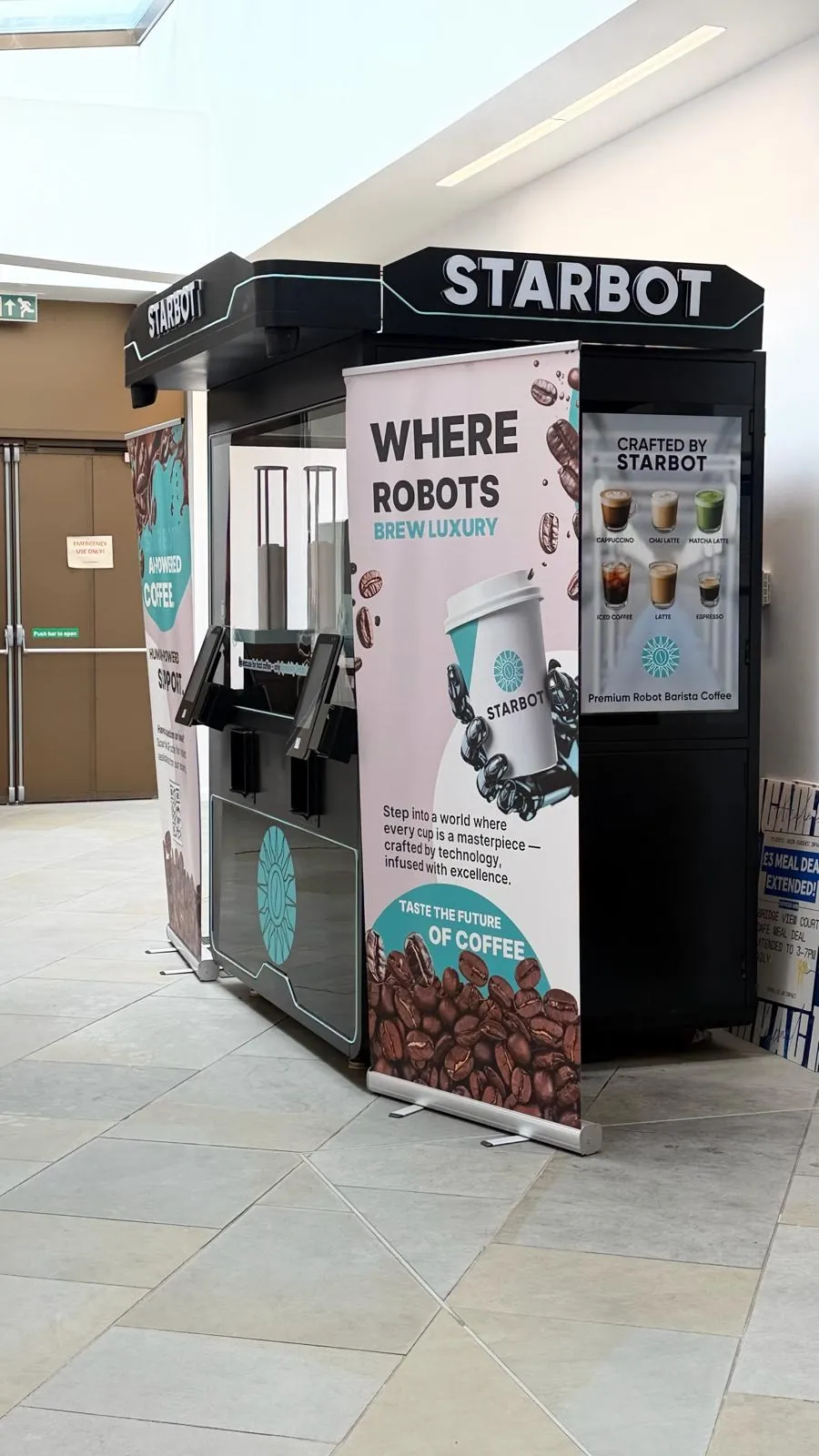
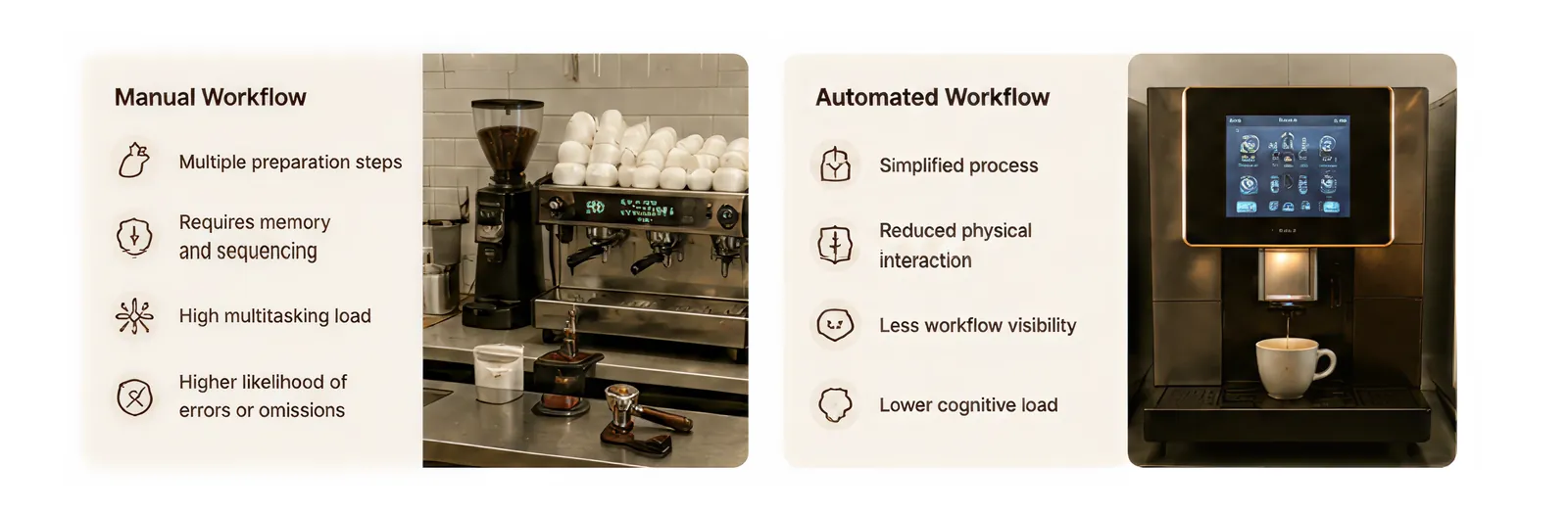
We visited a wide range of coffee settings across London: busy chain cafés, small independents and even a robot barista kiosk. In every busy prep area, staff juggled several orders while holding drink steps, ingredient order and cleaning tasks in their heads.
Two interviews, one pattern
We interviewed a head barista at Pret A Manger and the co-founder of a cold brew on tap start-up in London. Their settings were very different, but the problems lined up.
Head barista, high-volume chain
- Storage is hard to reach, with no fixed place for things, and high shelves are a problem for shorter staff.
- Fluorescent lighting and a cold silver-and-white palette strain the eyes.
- Steel milk jugs are slippery and get hot or cold, and their wide spouts make pouring imprecise. Spills are common.
- Benches are too large and fixed at one height.
Co-founder, cold brew start-up
- Serving is simple: pull a tap. The hard part is everything behind it.
- Cleaning, setup and maintenance depend on remembering the correct sequence.
- New staff learn serving in a day, but the backend takes much longer.
- Most errors happen when a step is forgotten during a rush.
Both pointed to the same need: take the sequence out of people's heads and put it in front of them, with clear signs of what is done and what comes next.
Where the workflow breaks
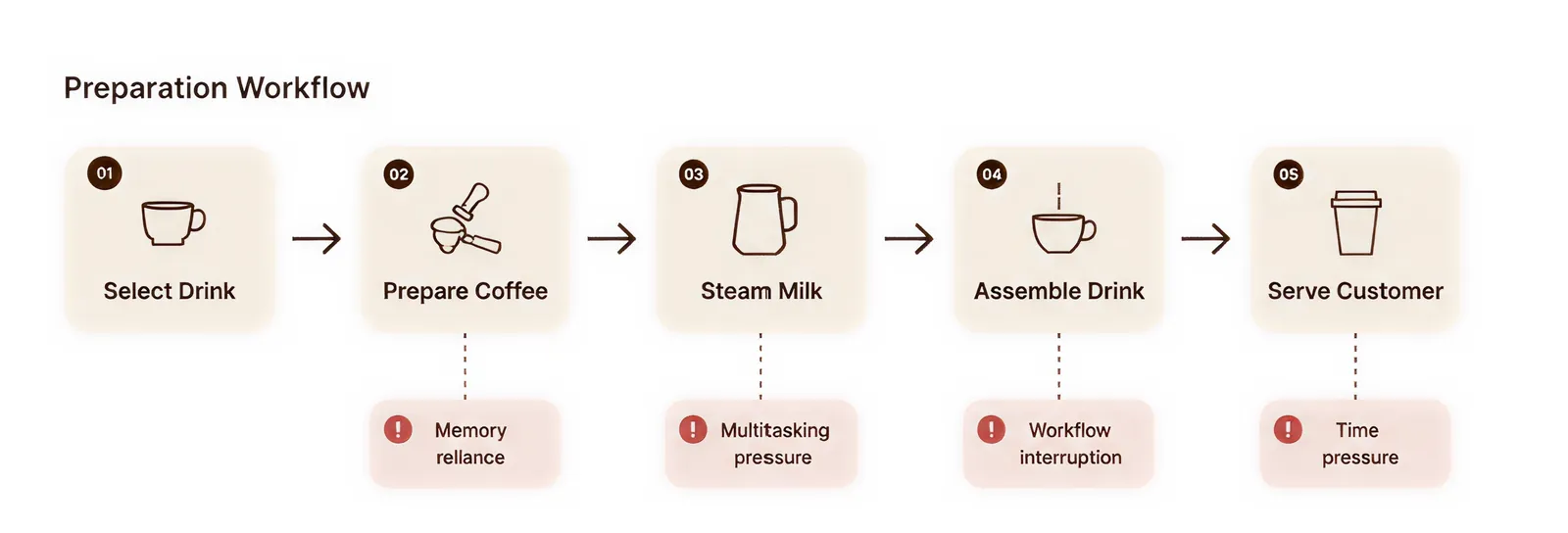
Mapping a typical drink from order to hand-off showed the same four pressure points at almost every step: memory reliance, multitasking, interruptions and time pressure.
From needs to requirements
Each user need became a design specification. Those specifications became the yardstick for every concept that followed.
| User need | Design specification |
|---|---|
| Clear workflow guidance | Provide step-by-step visual instructions |
| Reduced cognitive load | Simplify interfaces and interactions |
| Easier task tracking | Include visual progress indicators |
| Reduced multitasking stress | Break workflows into manageable stages |
| Better organisation | Create structured storage and preparation zones |
| Sensory comfort | Use calm lighting and minimal visual clutter |
| Improved confidence | Design intuitive and predictable interactions |
| Workspace consistency | Keep tools and actions in fixed positions |
| Accessibility during busy periods | Support quick understanding and reduced memory reliance |
| Workflow visibility | Make preparation stages visually clear |
Thirteen ideas, one clear winner
We sketched broadly: wearables that buzz a reminder, a magnetic task strip, colour and texture-coded trays, a cup and lid dispenser, a pour-guide lid, heated gloves for arthritic hands, a pull-out drawer that doubles as a step, and a pump to decant milk from big cartons.
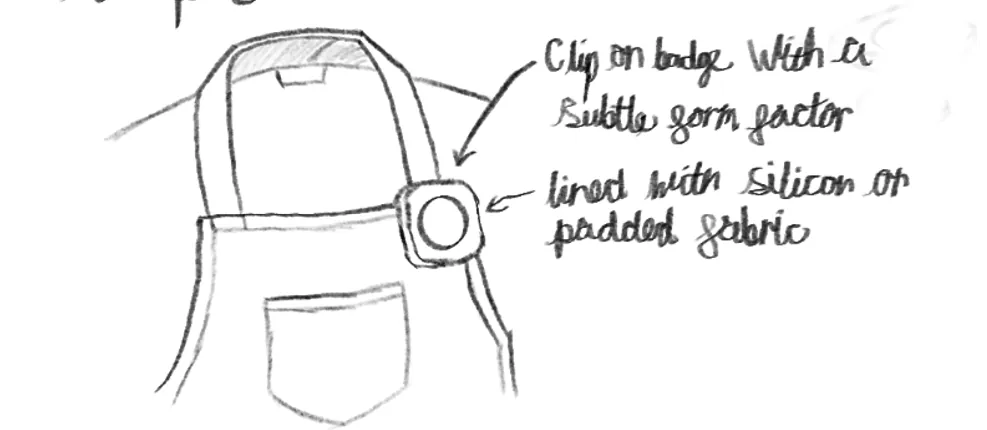
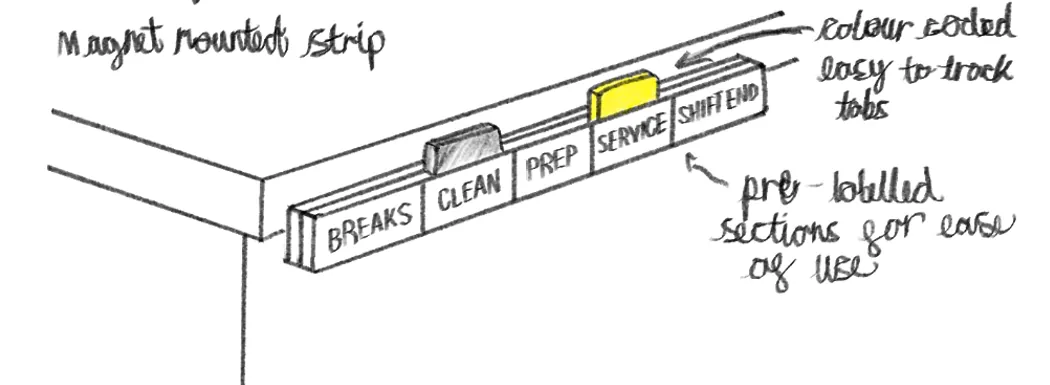
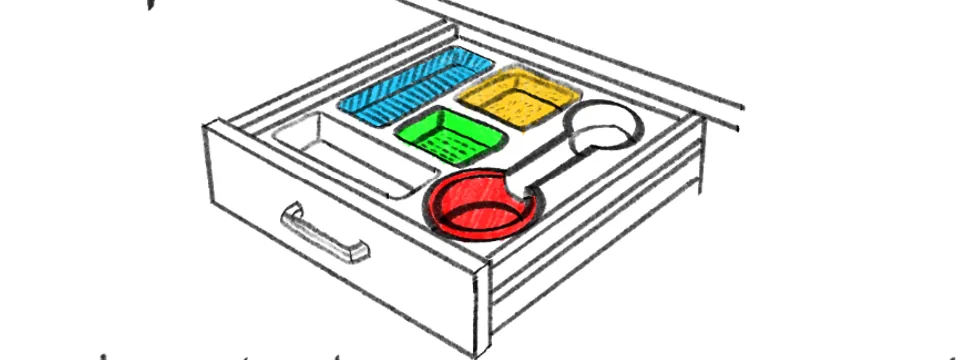
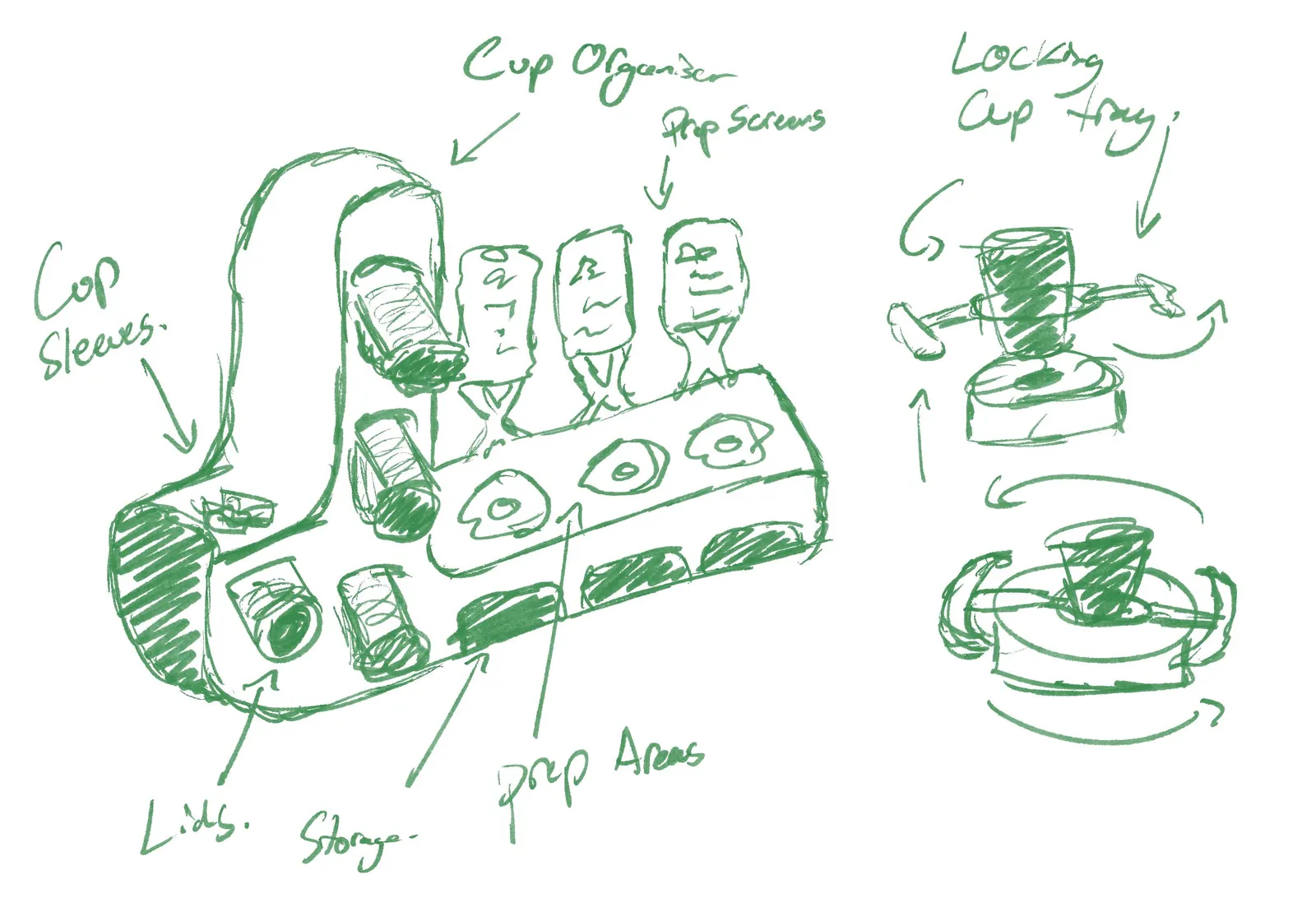
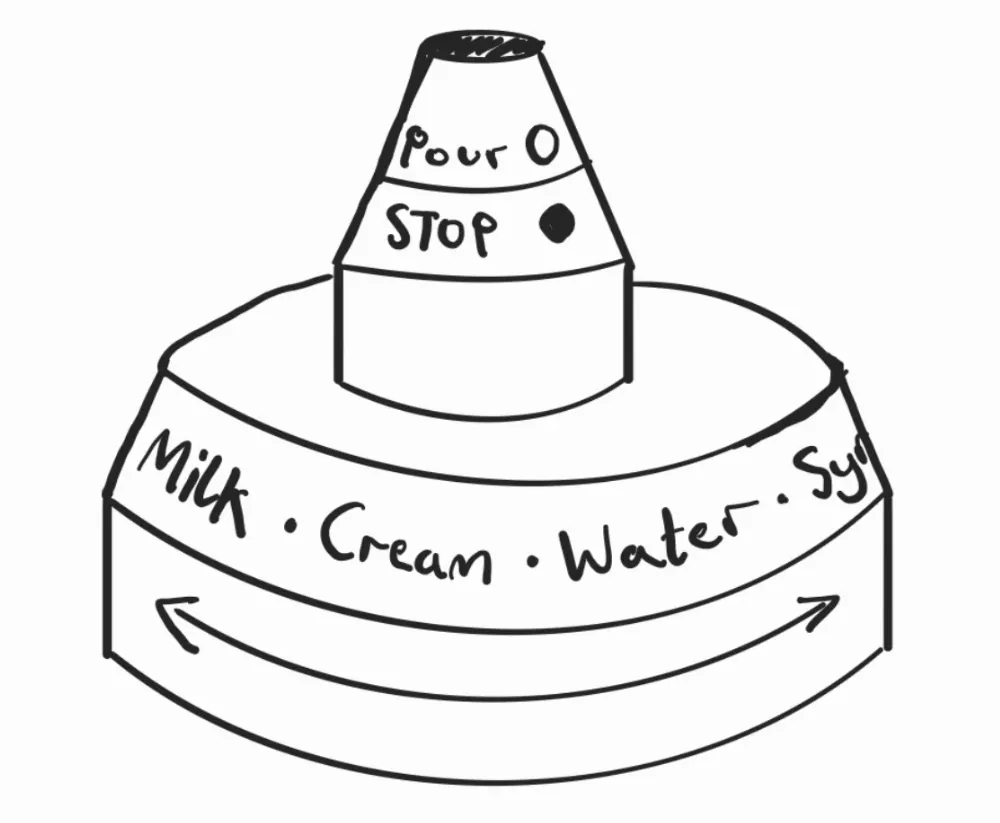
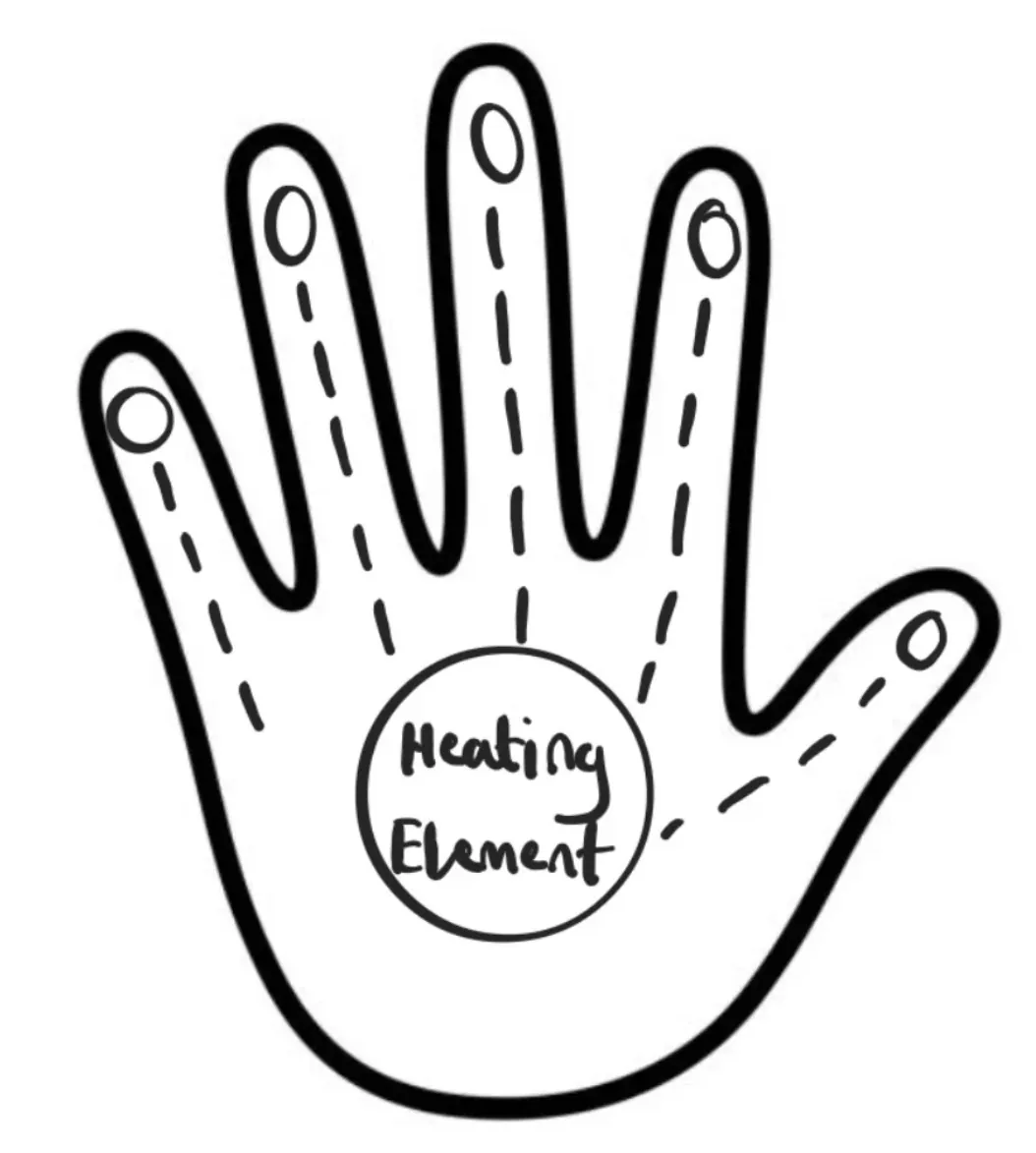
Each concept was scored against the needs from research: workflow clarity, visual guidance and reduced cognitive load (weighted highest), then independence, organisation, sensory comfort and ease of integration into a real café.
Lights weren't enough, so it got a screen
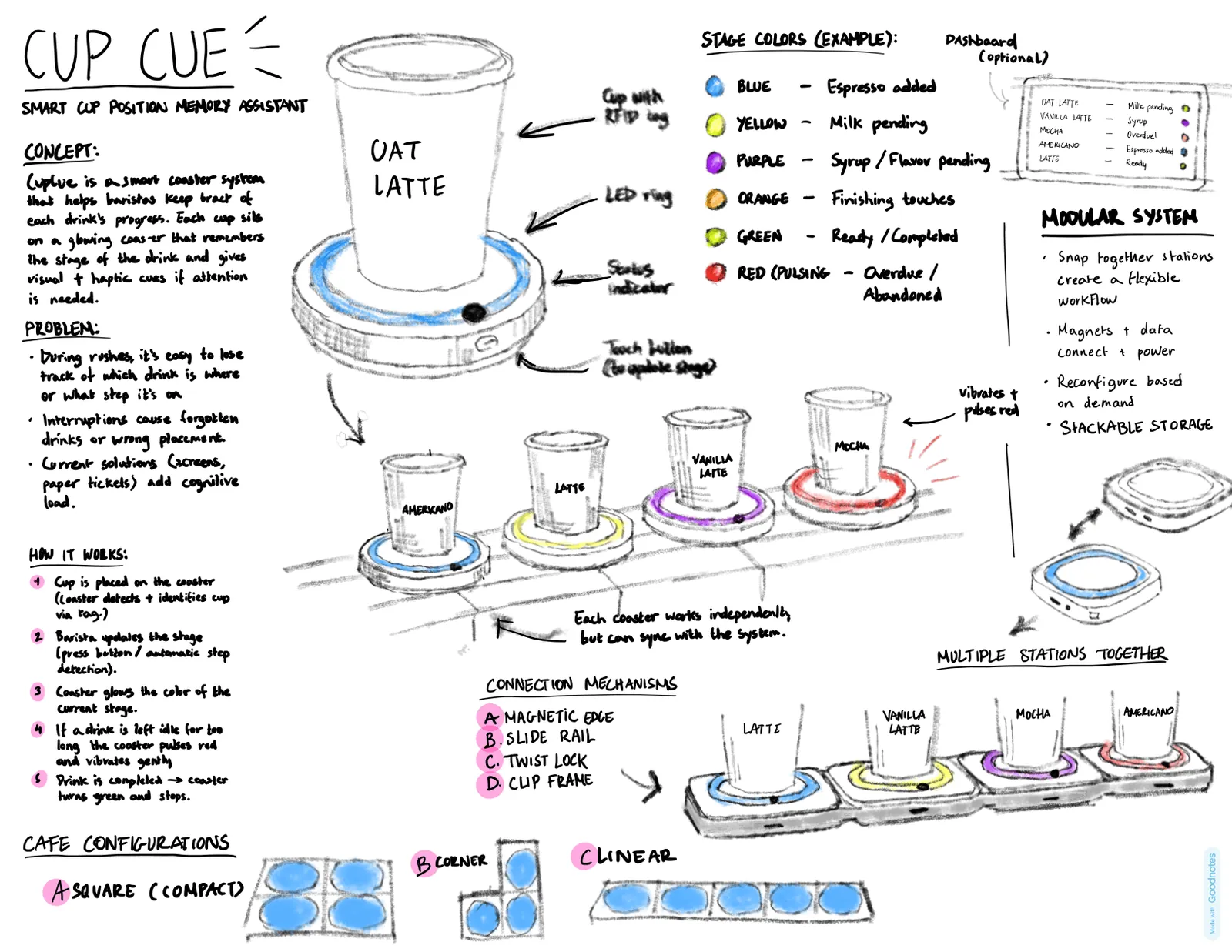
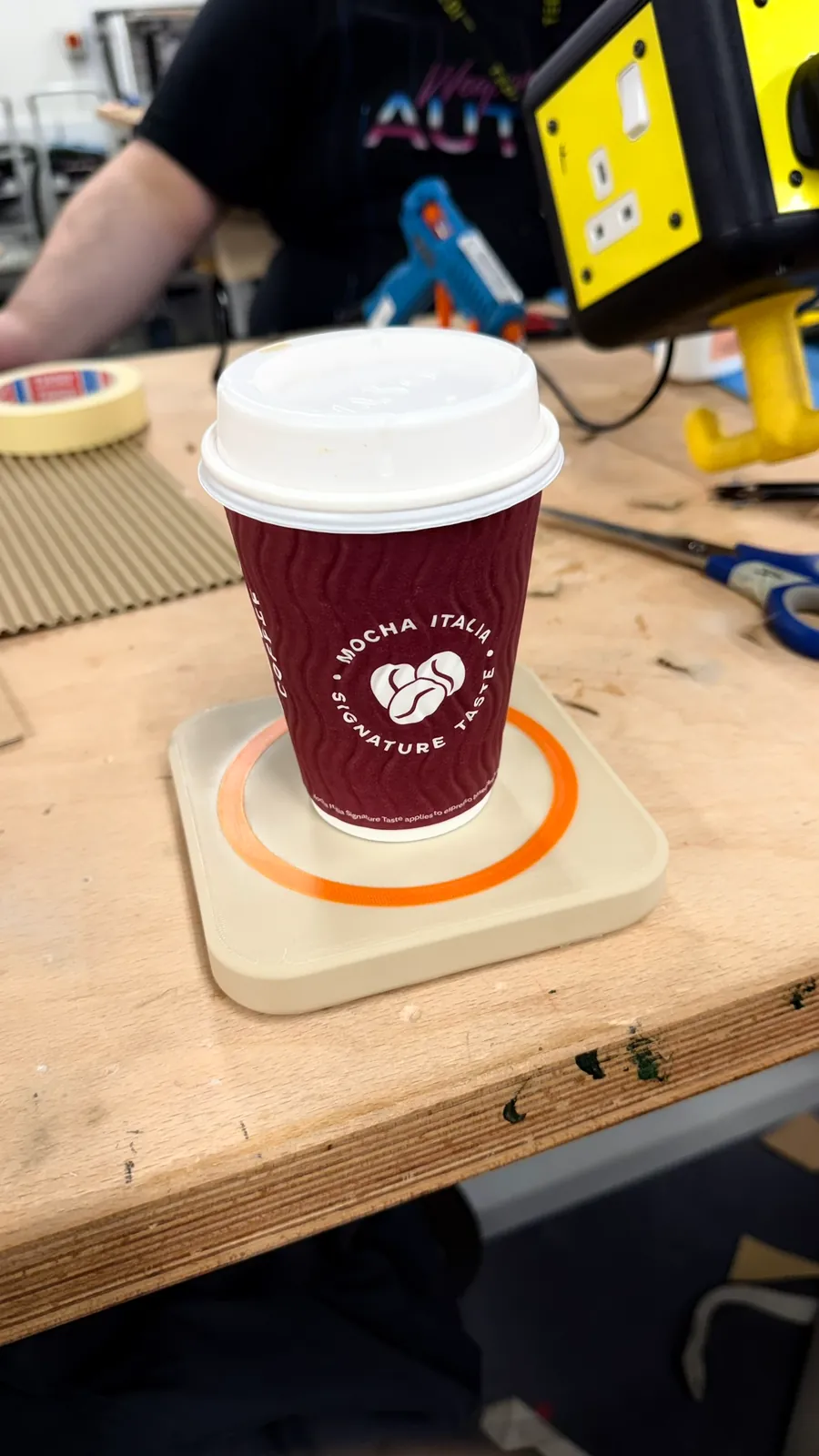
The first cardboard models were reactive coasters, aimed at the drinks that trip people up: orders with changes or substitutions that fall outside someone's usual routine.
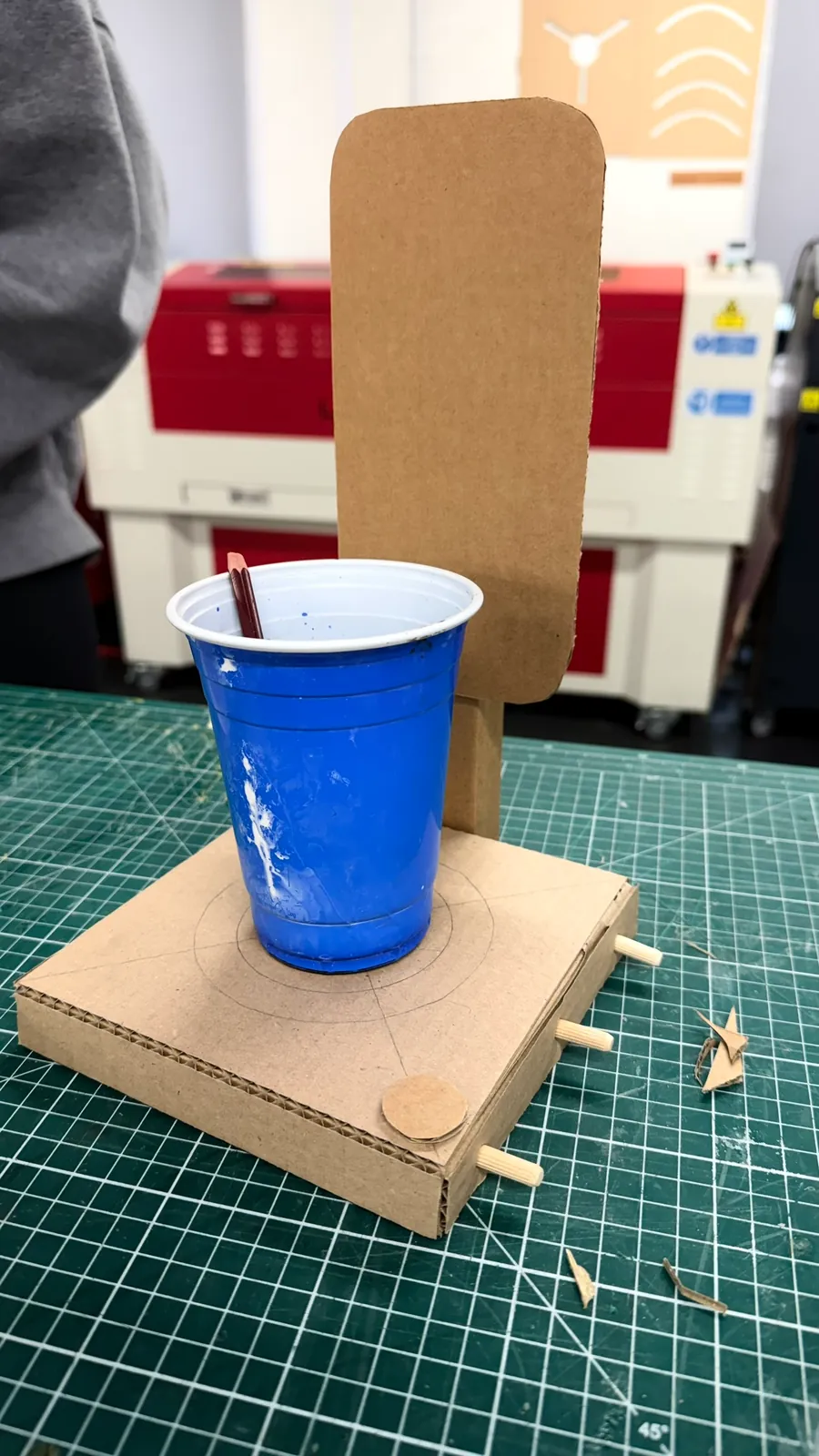
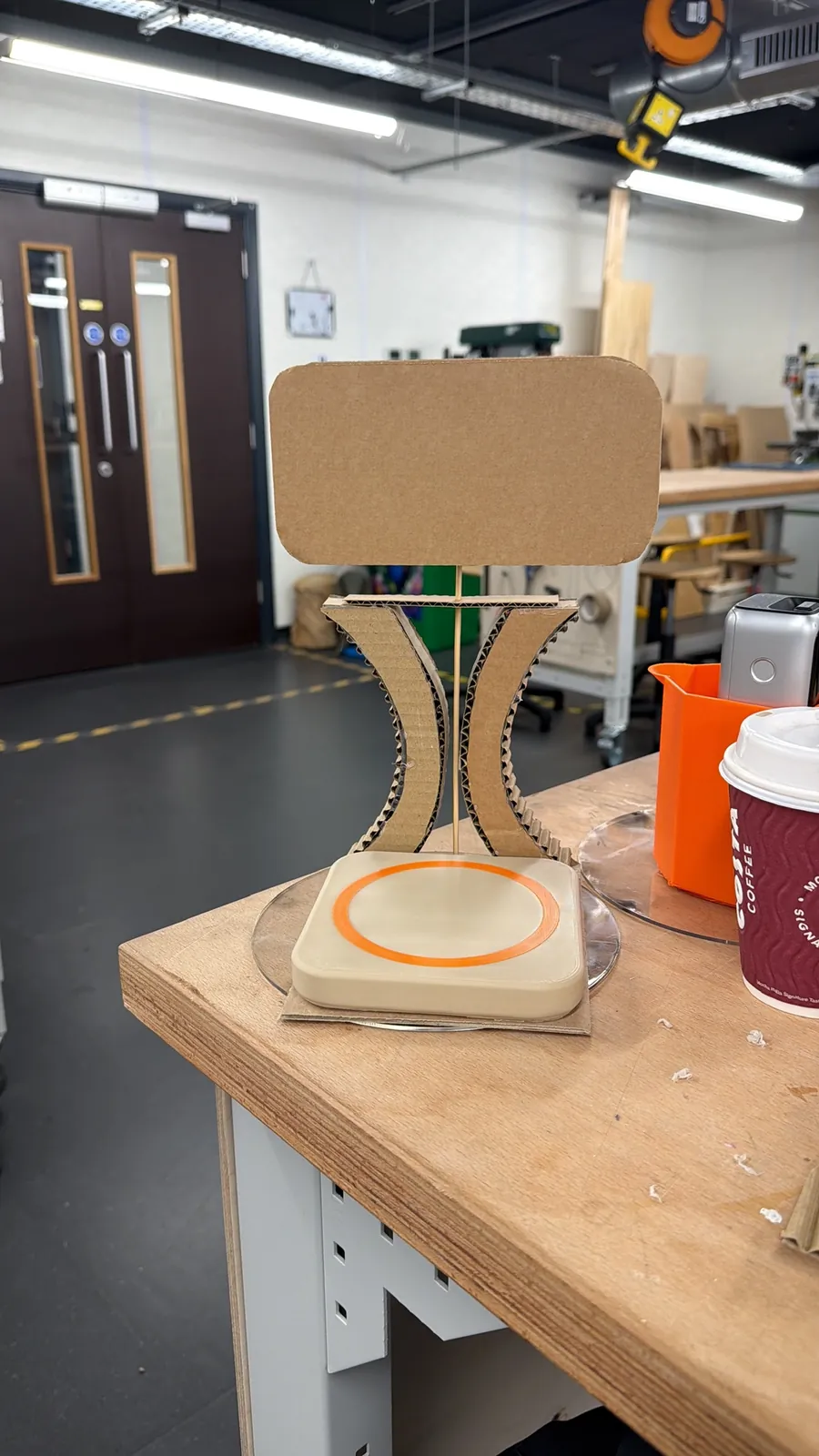
Testing showed the limit quickly. A coloured ring can say "in progress" or "done", but it can't say which of five steps you're on, or how much milk to add. Tracking a whole recipe with colours alone would have been hard to build and harder to follow. So we added a screen and kept the light for what it does best: a calm, glanceable state.
There's no such thing as a standard cup
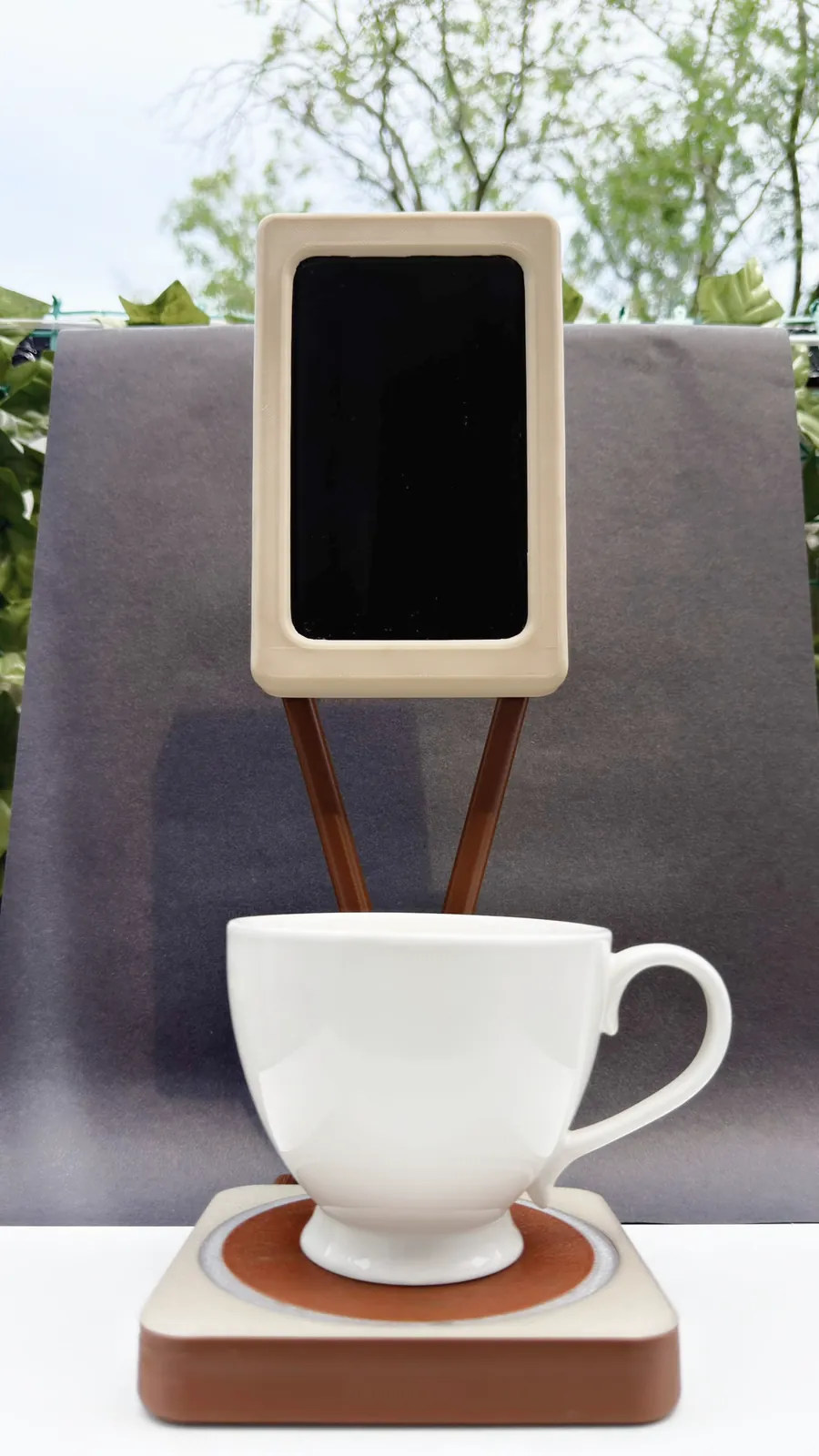
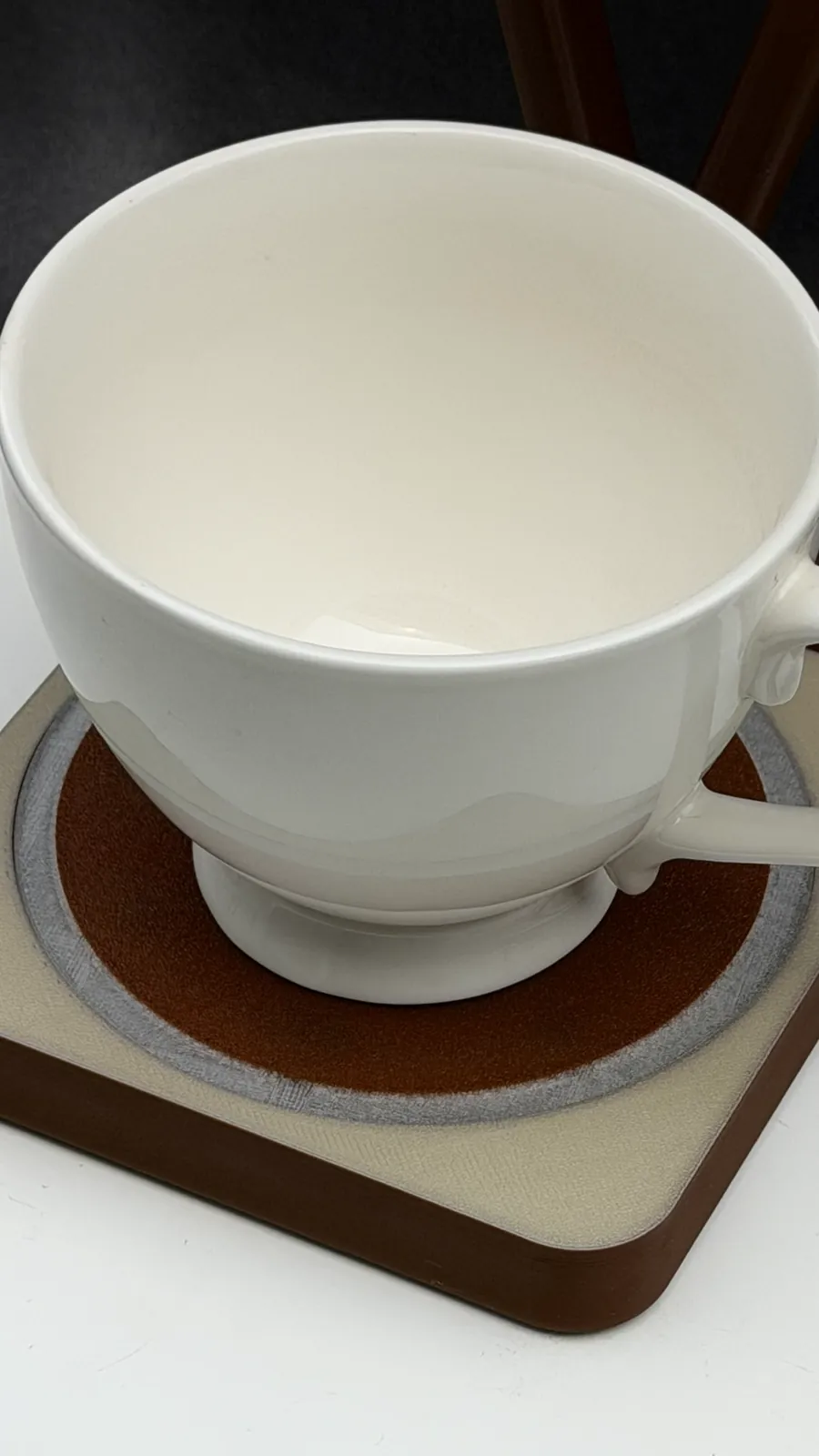
Every café visit turned up a different set of cup sizes. Each drink has its own, and every chain is slightly different. We sized the product around the largest takeaway cup in a major manufacturer's range, which a head barista confirmed would cover all the chains.
Portrait, on purpose
Opinions on screen orientation were split. We chose portrait because a tall list of steps is easier to follow top to bottom, and because portrait units sit snugly side by side when a café runs several stations at once.
Every part tells you what to do
Good everyday design works through affordances (what an object lets you do) and signifiers (the cues that show you how). BrewFlow leans on both, and it says each important thing more than once, in more than one way. Someone who struggles to read still gets the picture and the voice. Someone who can't hear the chime still sees the progress bar fill.
| Part | What it affords or signals | Why it matters |
|---|---|---|
| Coaster | A recessed, contrasting pad that is clearly where the cup goes | No instructions needed to start: put the cup down |
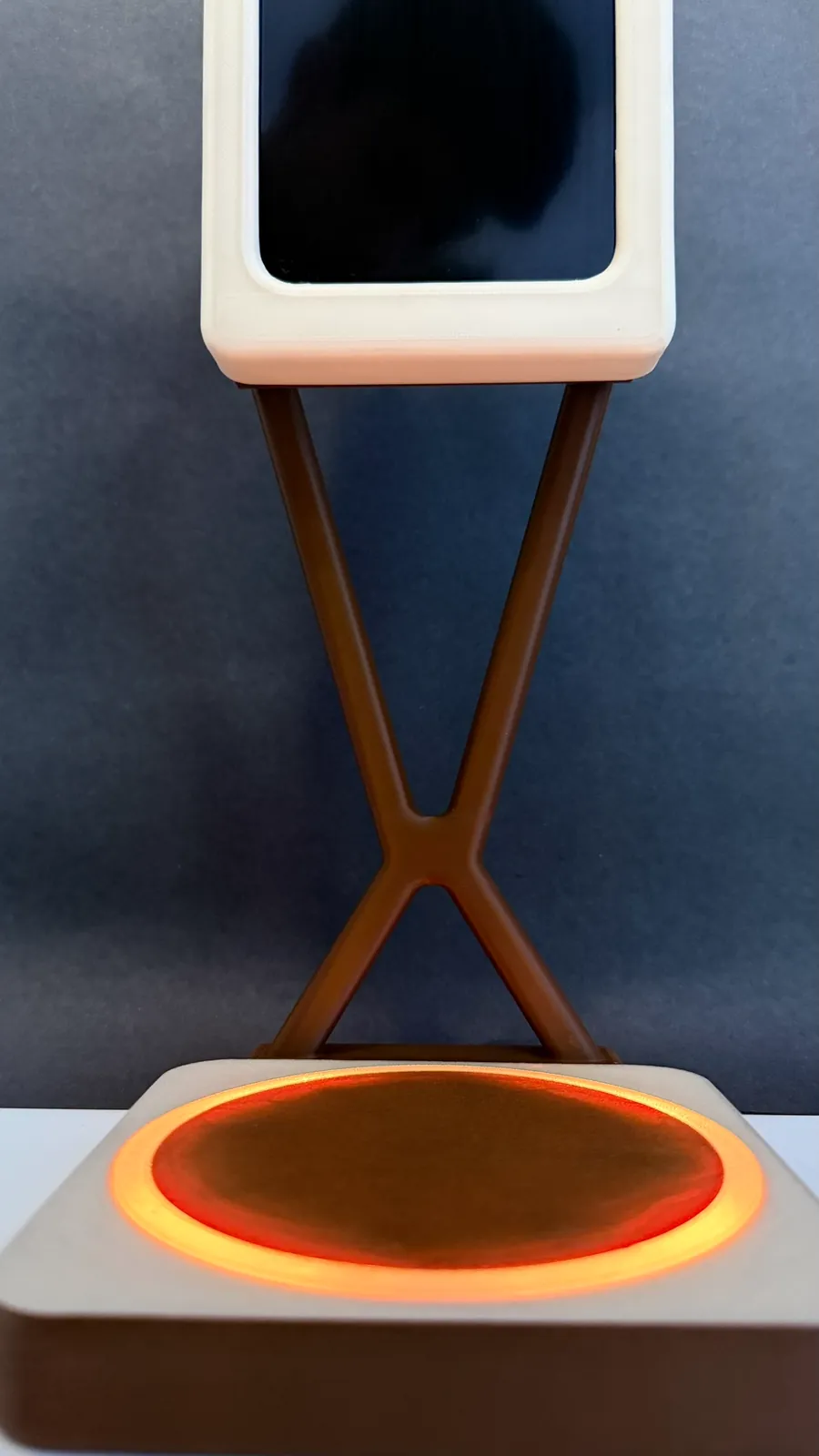
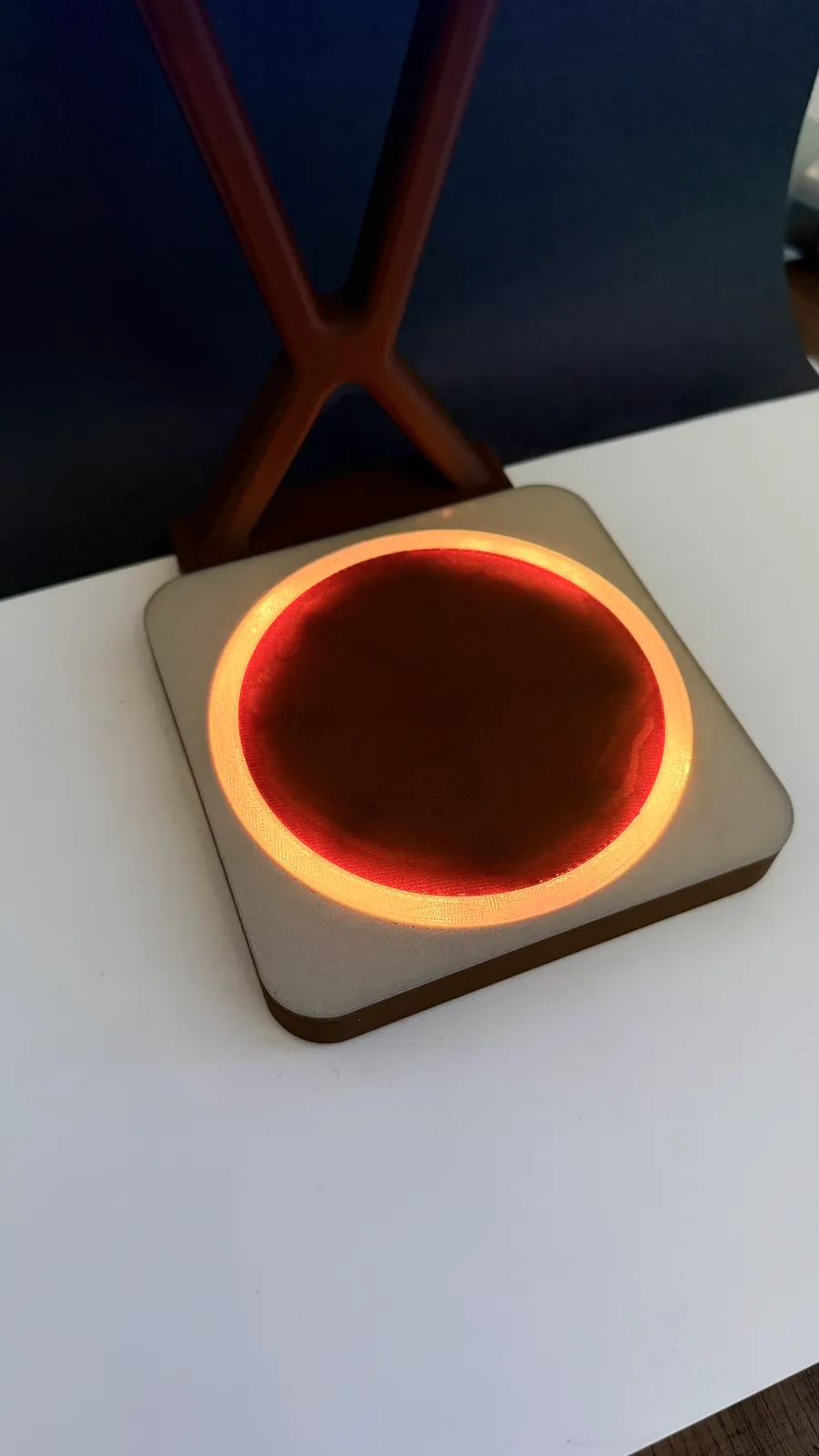
| Light ring | Soft, non-flickering glow that shows the current state | Readable from across the counter, and calm rather than alarming |
| Pictogram | One colour and one shape per drink | Recognised without reading a word |
| Weight readout | Grams remaining, plus a bar that fills from red to green | "How much more?" is answered by the scale, not by memory |
| Voice | Each step read aloud at a medium pace | Added after BSK research showed several crew find reading hard |
| Chimes | A rising ping per step, an arpeggio when the drink is done | Confirms success without looking up |
Colour-coded pictograms
Every drink has its own colour and shape, so two drinks never look alike, even to someone who can't tell the colours apart. Milk options appear as a colour-coded list in the same position on every drink, so the crew learn where oat or whole milk sits. Shapes were deliberately left off the milk list: the drink screen already carries enough, and fewer symbols mean less to decode.
Shape + colour
A yellow triangle
Shape + colour
A green circle
Shape + colour
A blue star
Text to speech and audio cues
Each step is read aloud. Two short sounds confirm progress. They're soft sine tones with a smooth decay, kept quiet enough for a busy café but distinct enough to link with "step done" and "drink done". Try them:
The step ping rises a fourth (880 Hz to 1175 Hz). The finish is a gentle C major arpeggio (523, 659 and 784 Hz).
One step at a time, and no skipping
Each drink has its own process, and switching milk switches the process. Every step gets its own screen with the current task, the live scale reading and a progress bar. A step only completes when the right amount has gone into the cup on the scale, so you can't jump ahead by accident. If something goes wrong, you can tare the scale at any step and carry on.
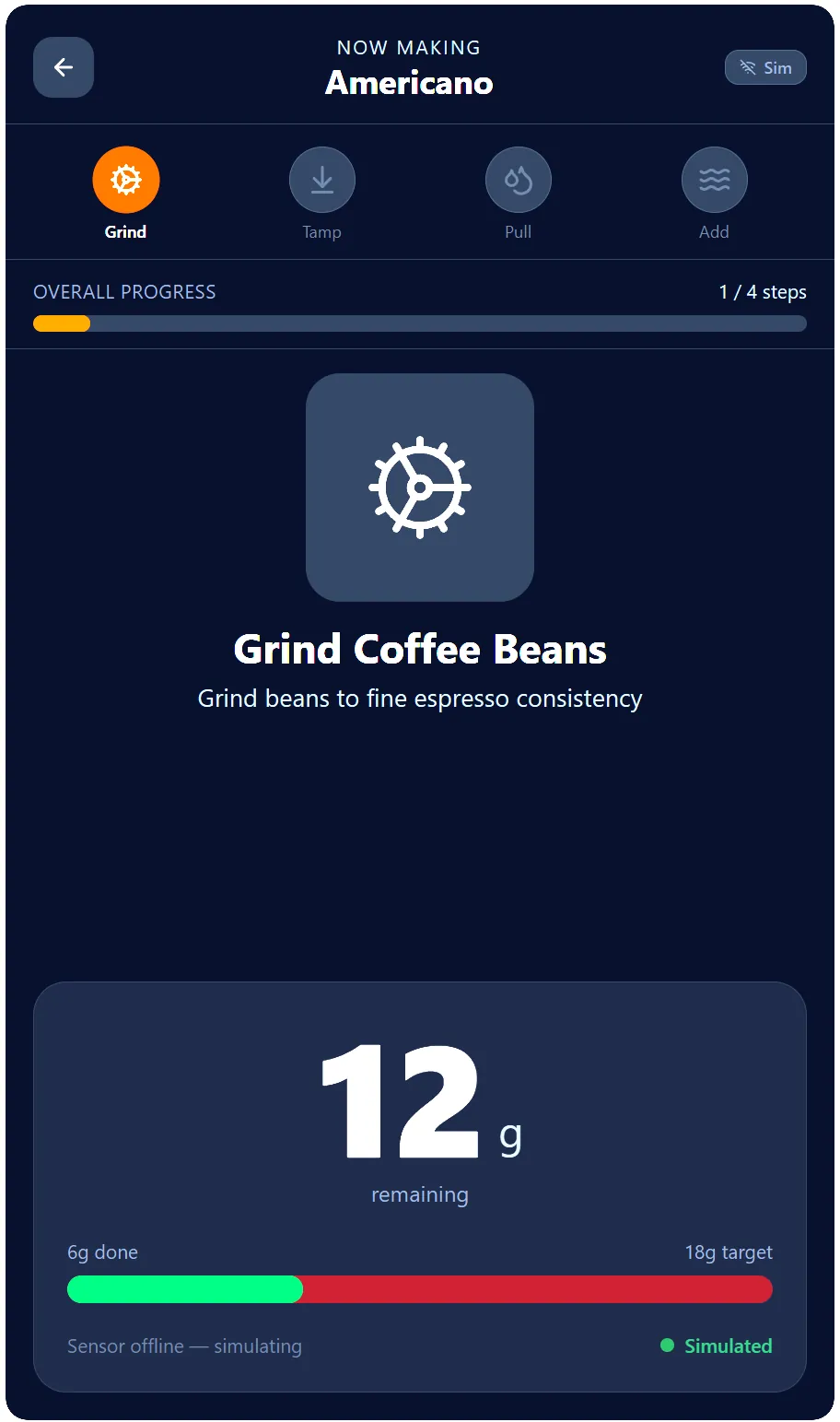
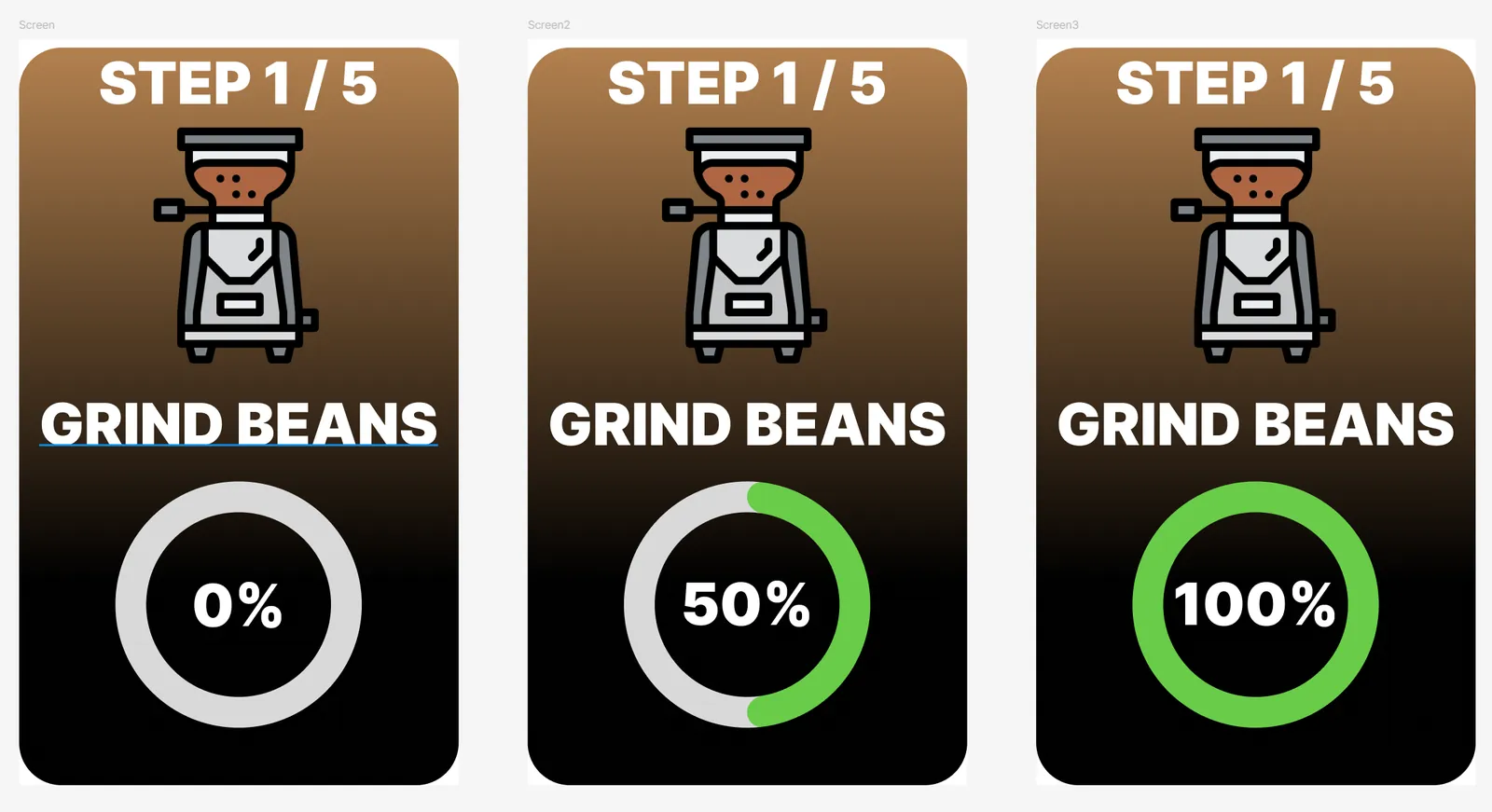
The interface went through several rounds, from plain text screens to complex icons and emoji and back to simple colour-coded pictograms. I explored the iterations quickly with Figma Make, then refined and built the final interface by hand.
Soft edges, an hourglass and a hidden scale
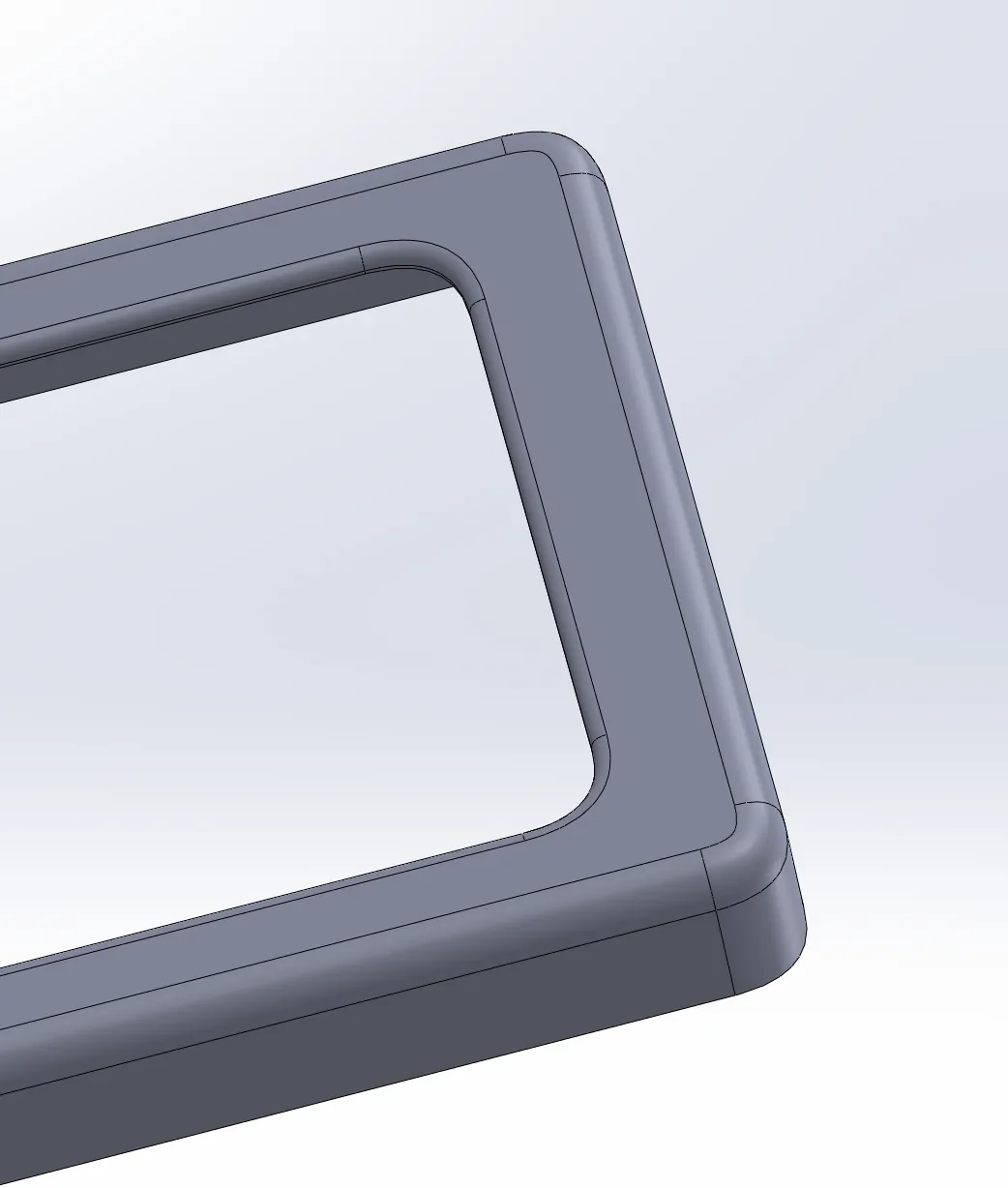
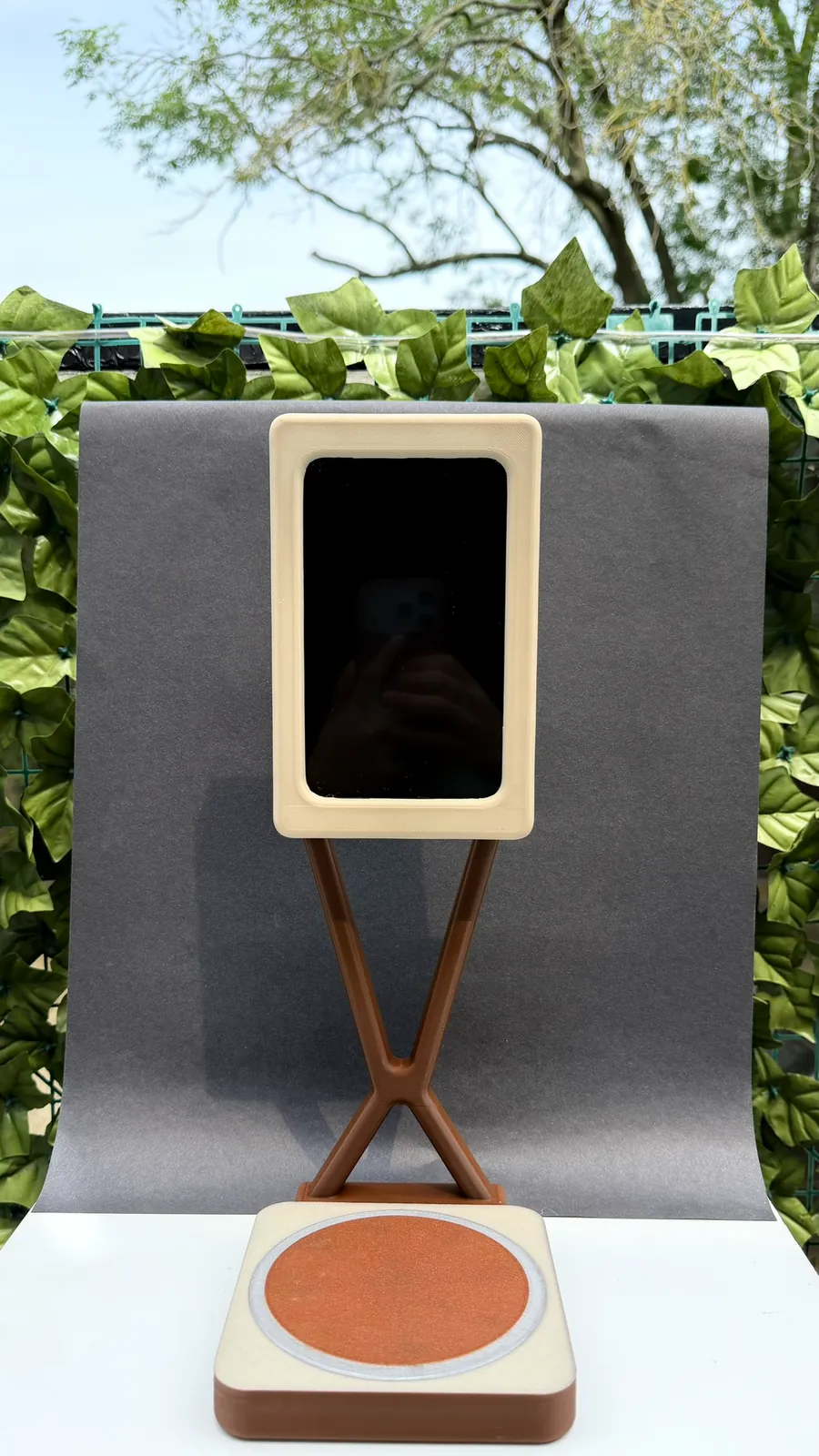
The form had to feel at home on a café counter and be safe to knock into. Every corner and fillet on the screen cover, stand and base uses the same 0.5 conic rho radius, so there isn't a sharp edge anywhere and the parts read as one family.
Screen cover
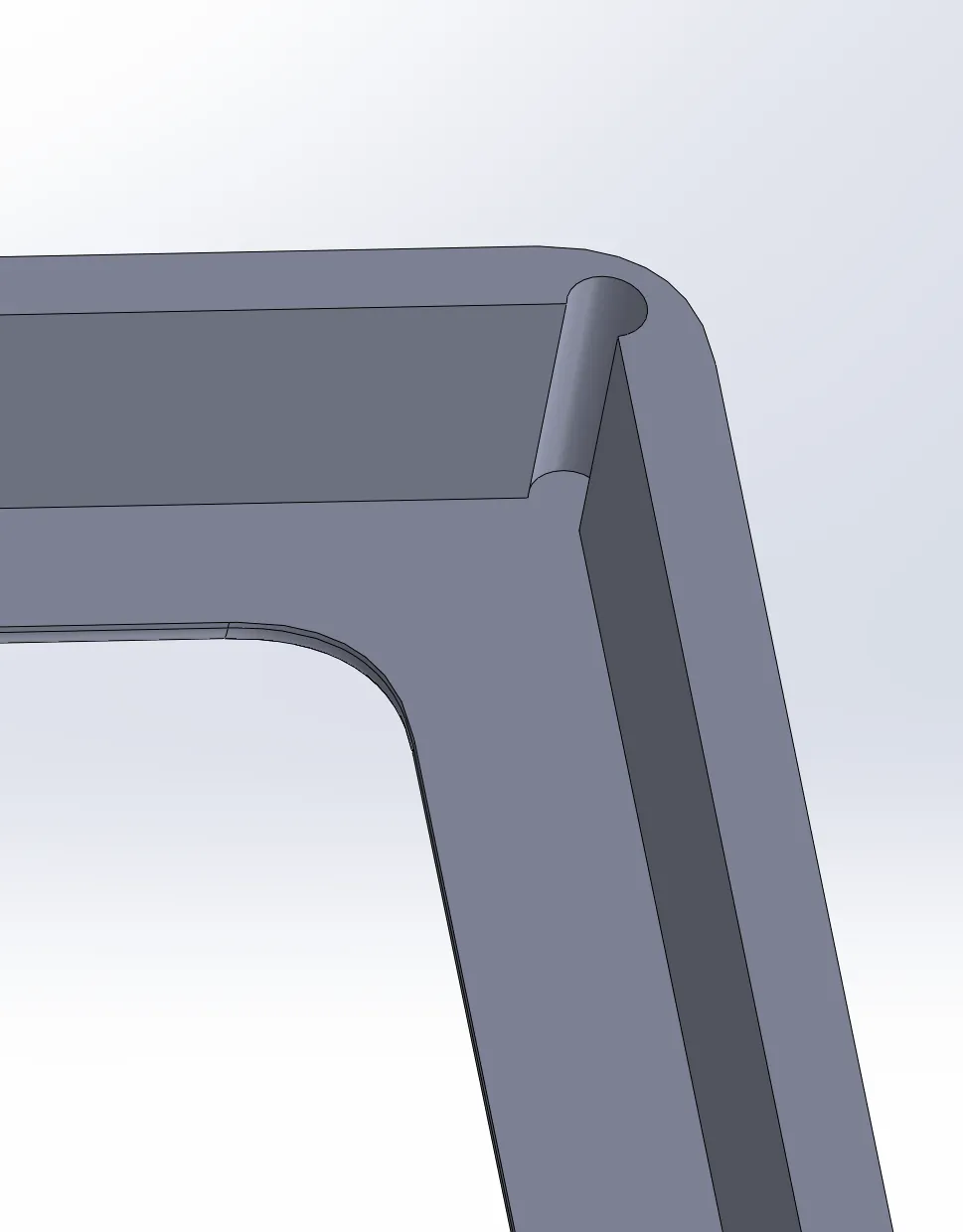
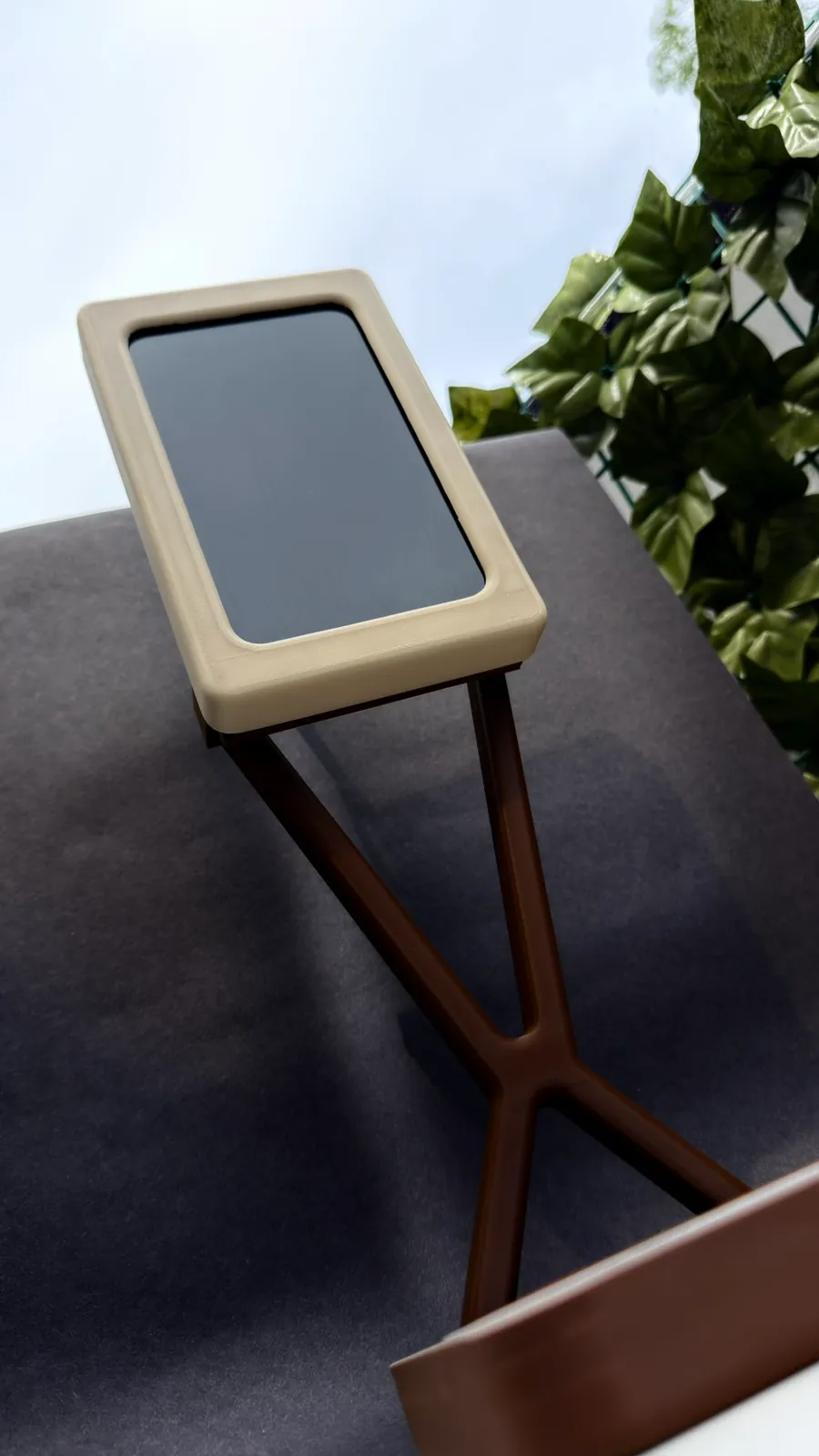
We measured the monitor with a digital vernier calliper and designed an interference-fit cover that wraps its bare, sharp-cornered powder-coated frame. The back stays open so the connections remain reachable. A tight press fit is hard to hit with FDM printing, so small relief holes at each corner absorb the tolerance that would otherwise make or break the fit.
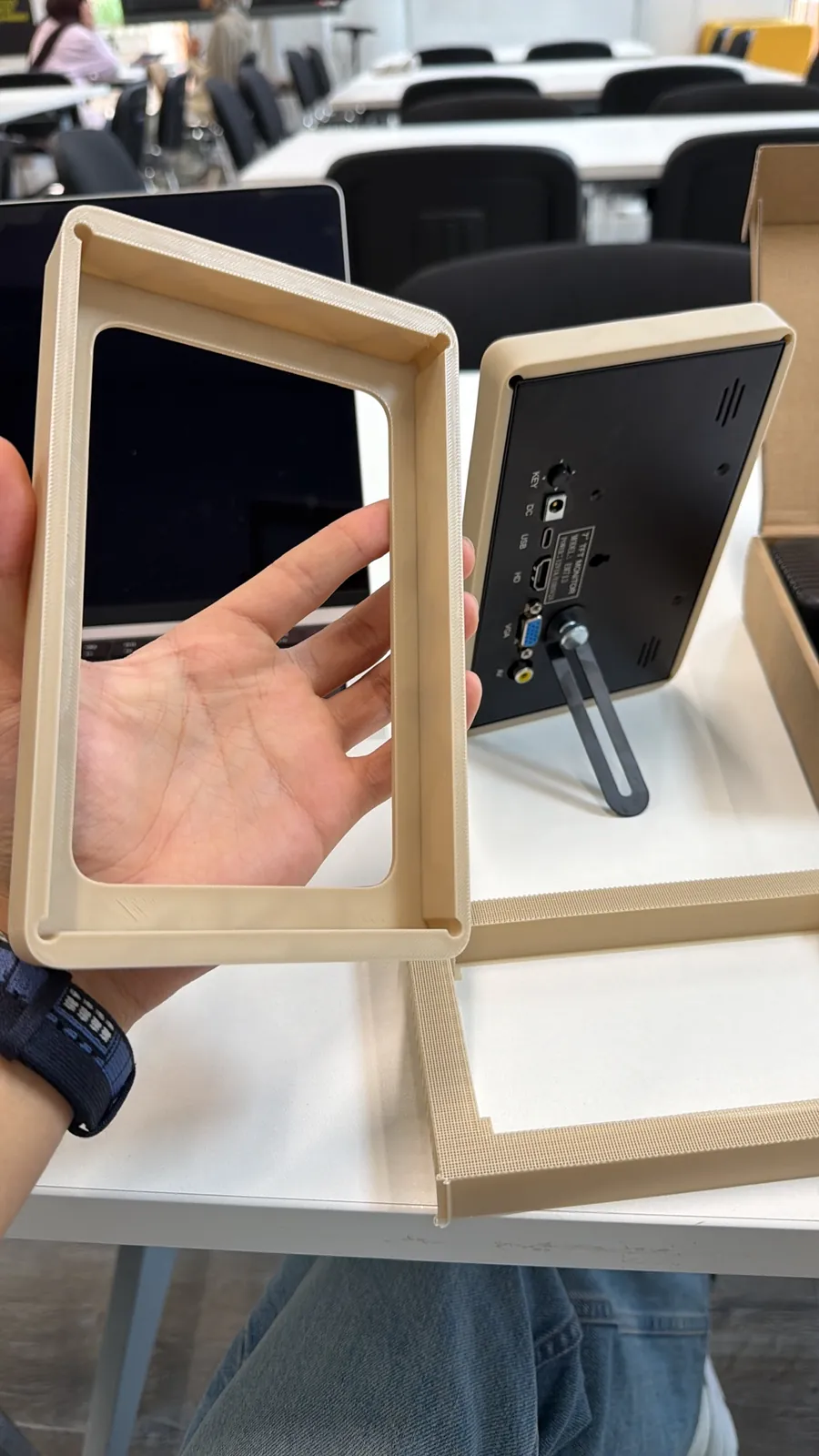
The X stand
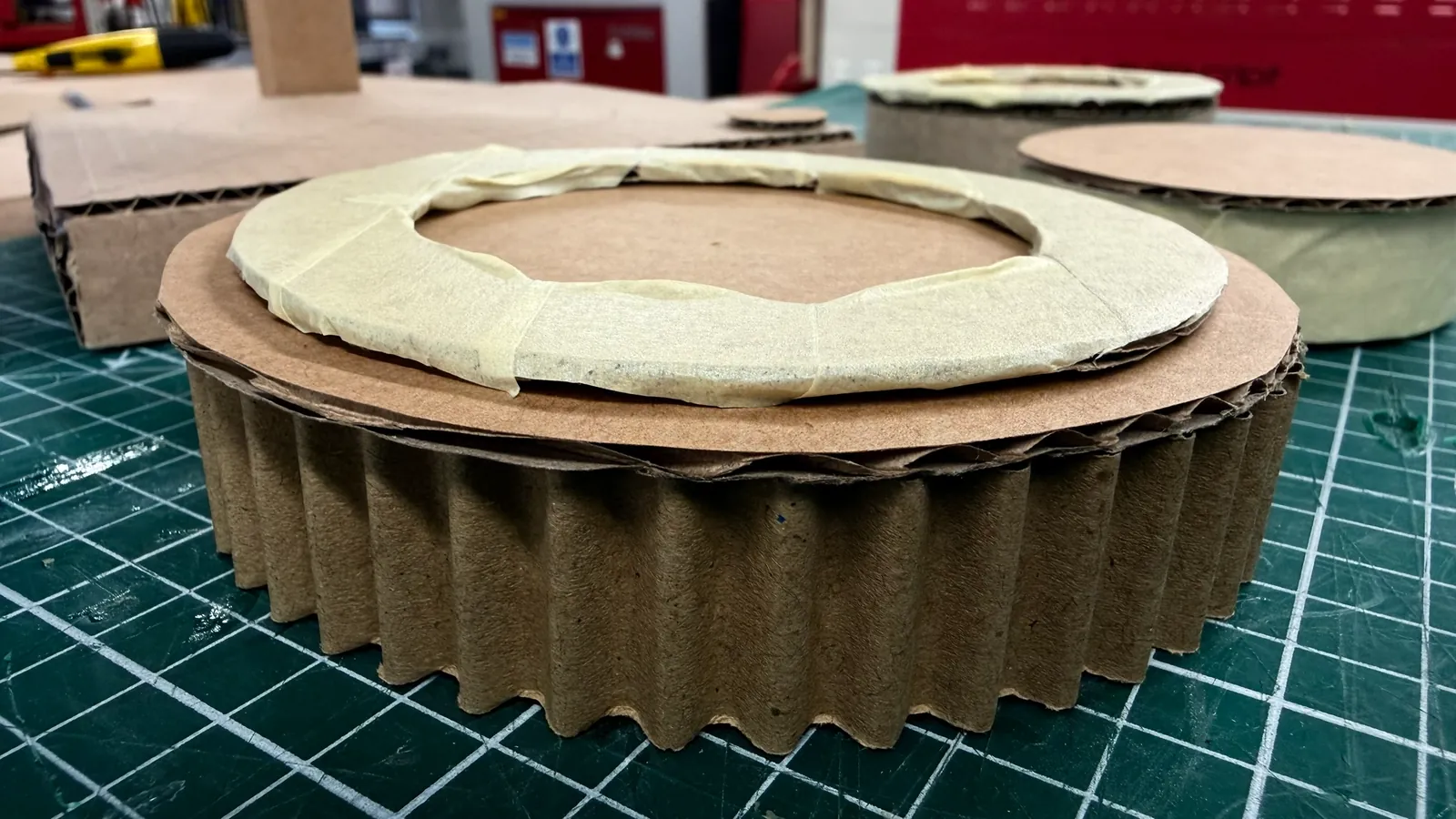
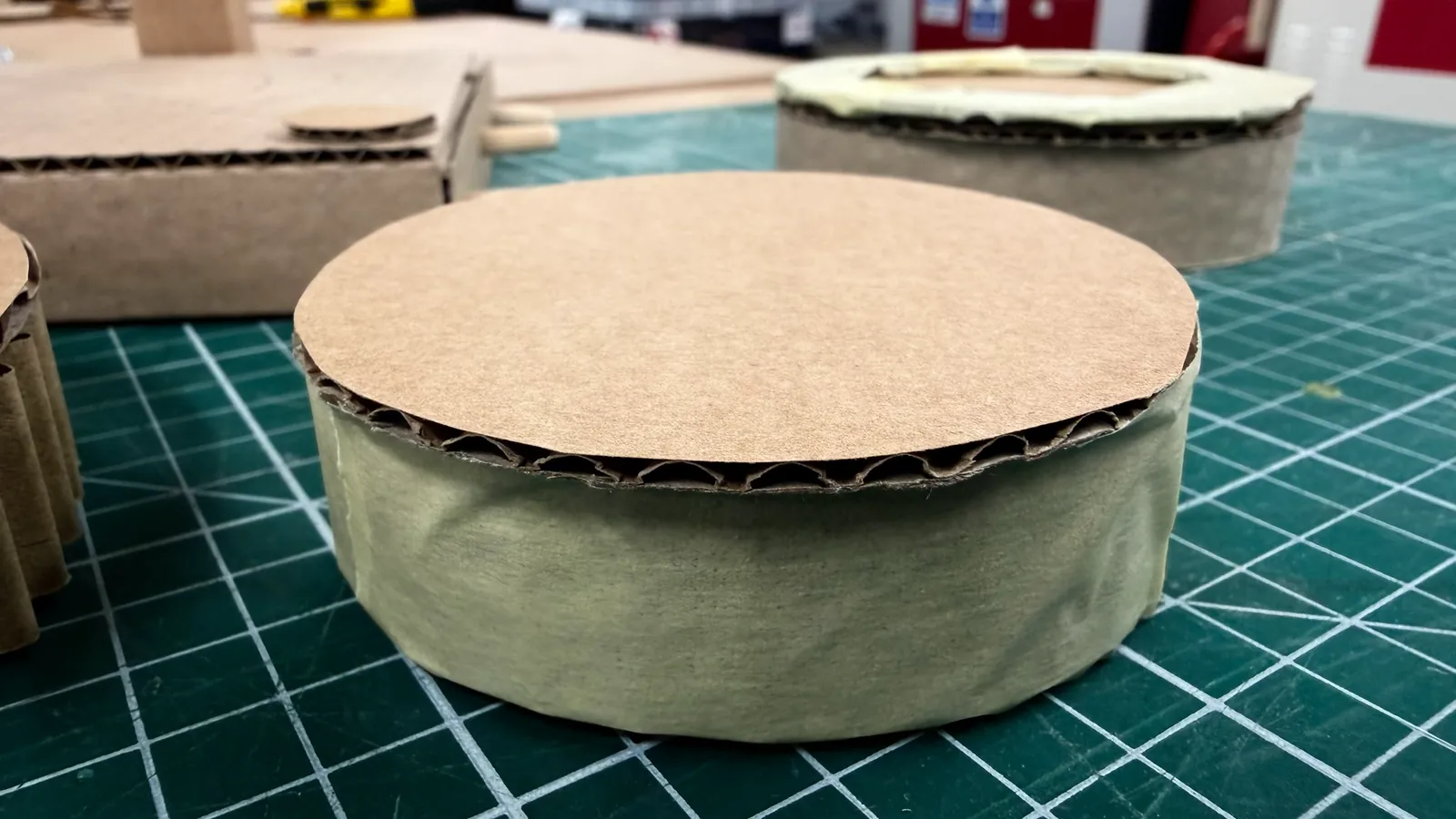
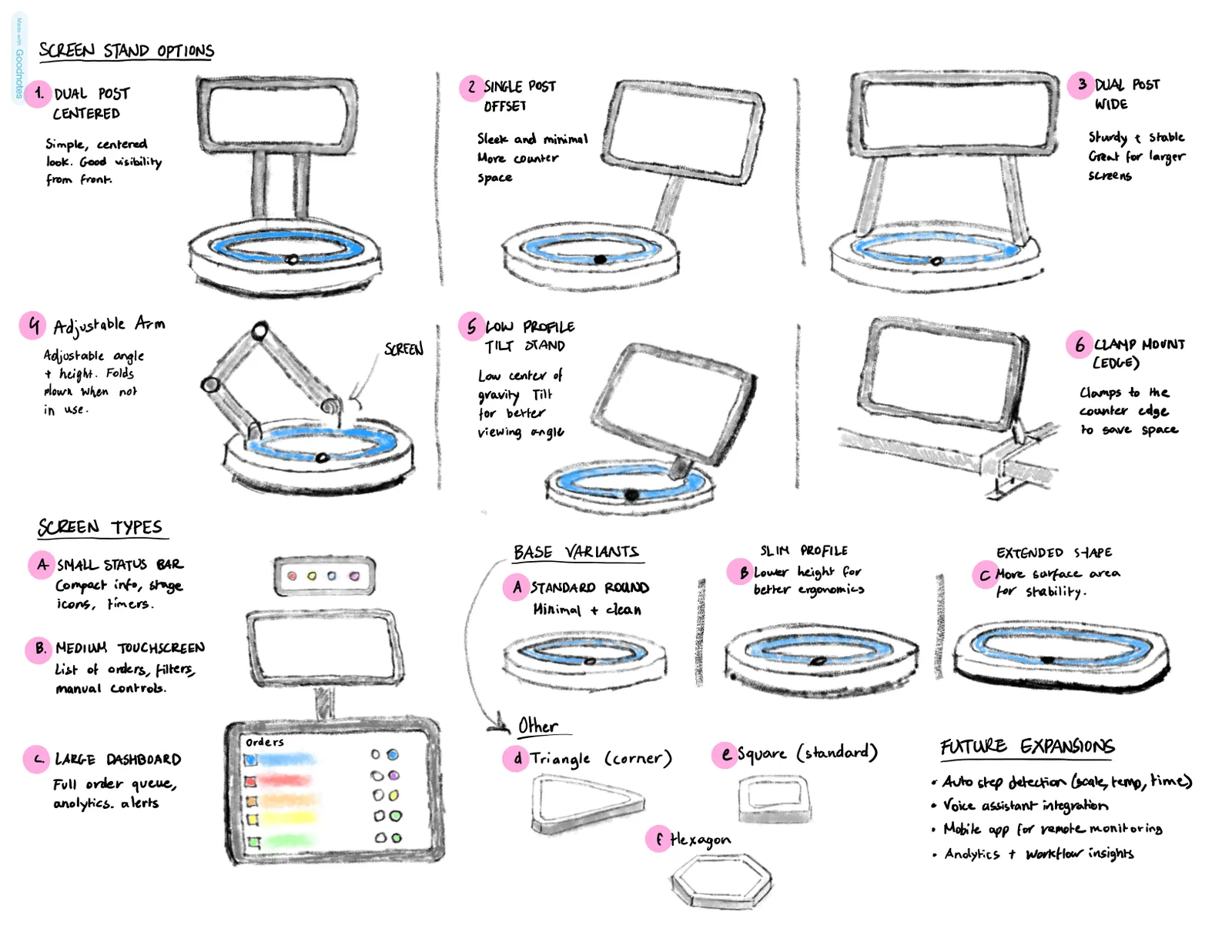
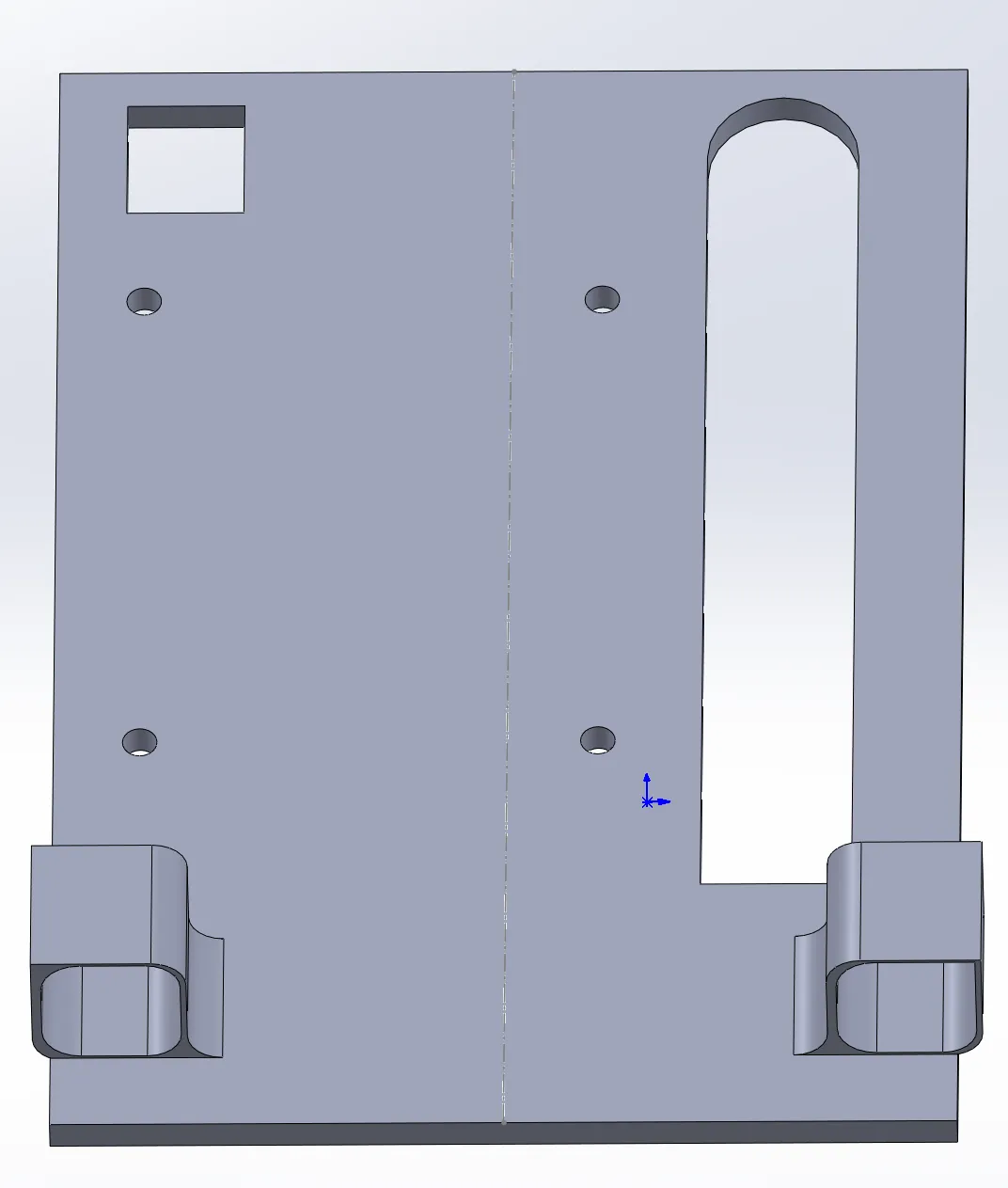
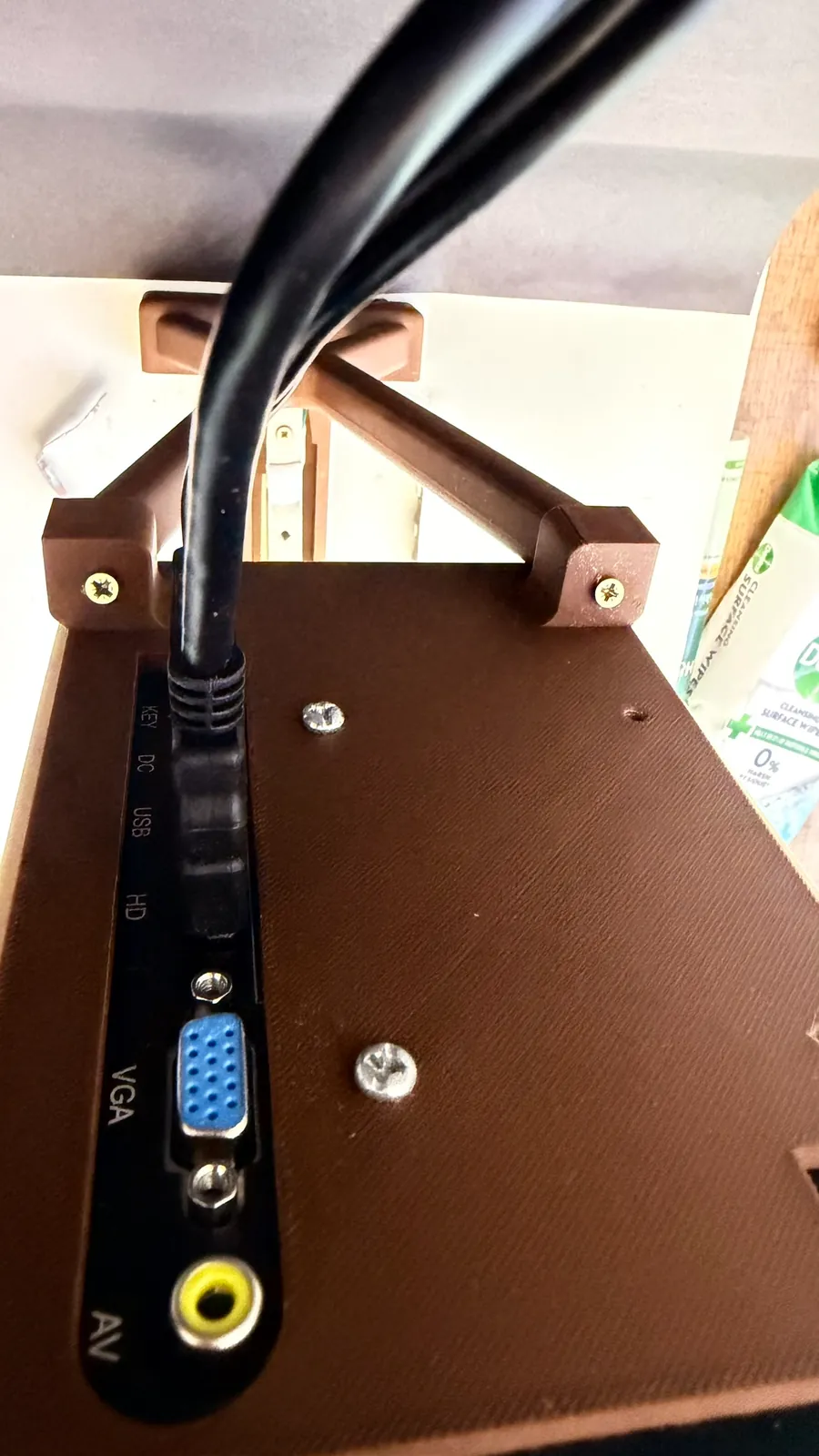
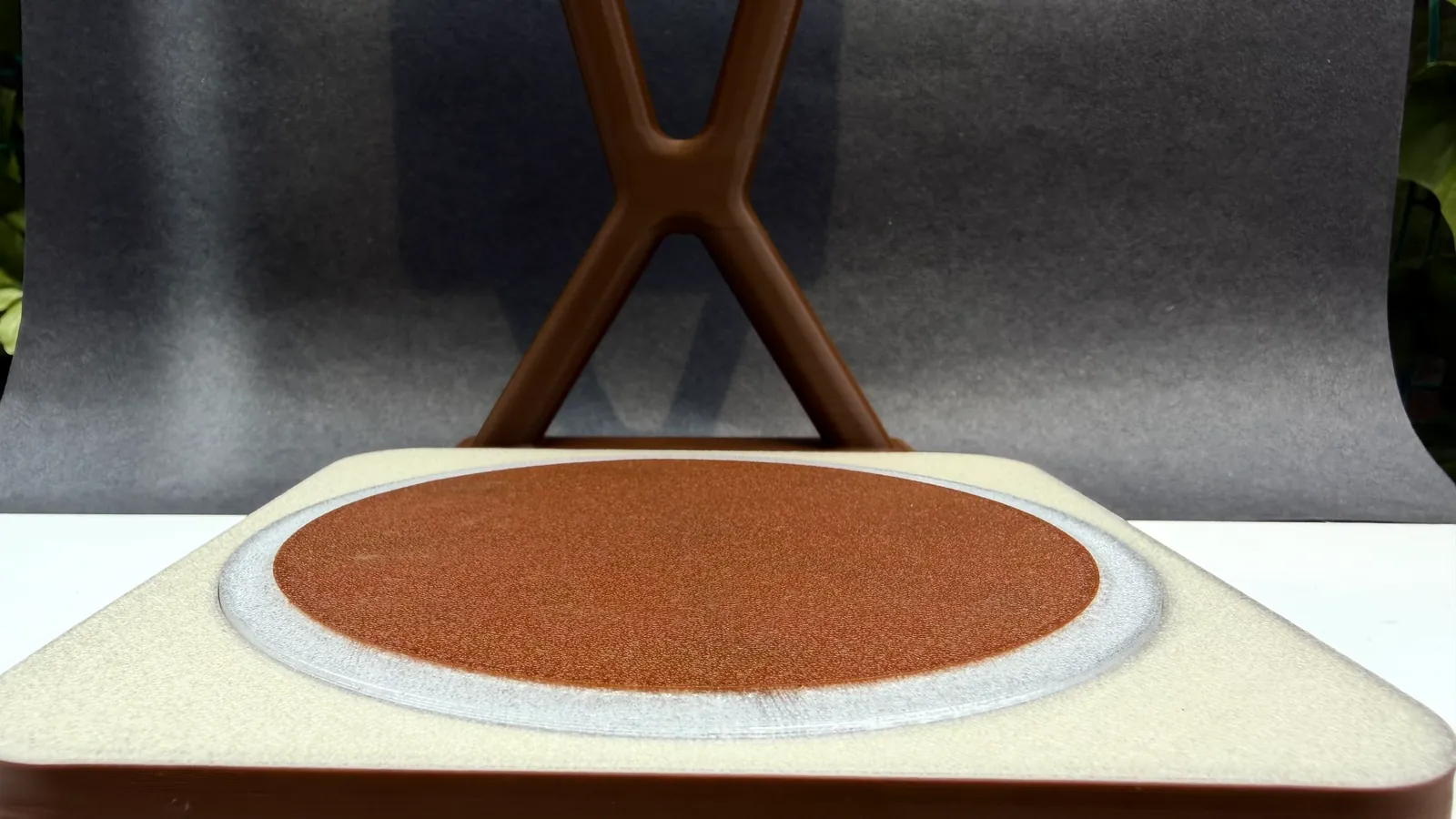
After cardboard trials we chose an X. It echoes an hourglass, a nod to how quick and timed coffee-making is, and it's sturdier and has more character than a single pole. It's modelled in SolidWorks with the same rho radius and printed in PLA. The stand plugs straight into the base above the load cell, with a cut-out that lets the cell flex and a channel that hides the wiring. The monitor has no VESA mount, so we designed a custom one that holds the screen just in front of the stand, clear of the space the cup needs.
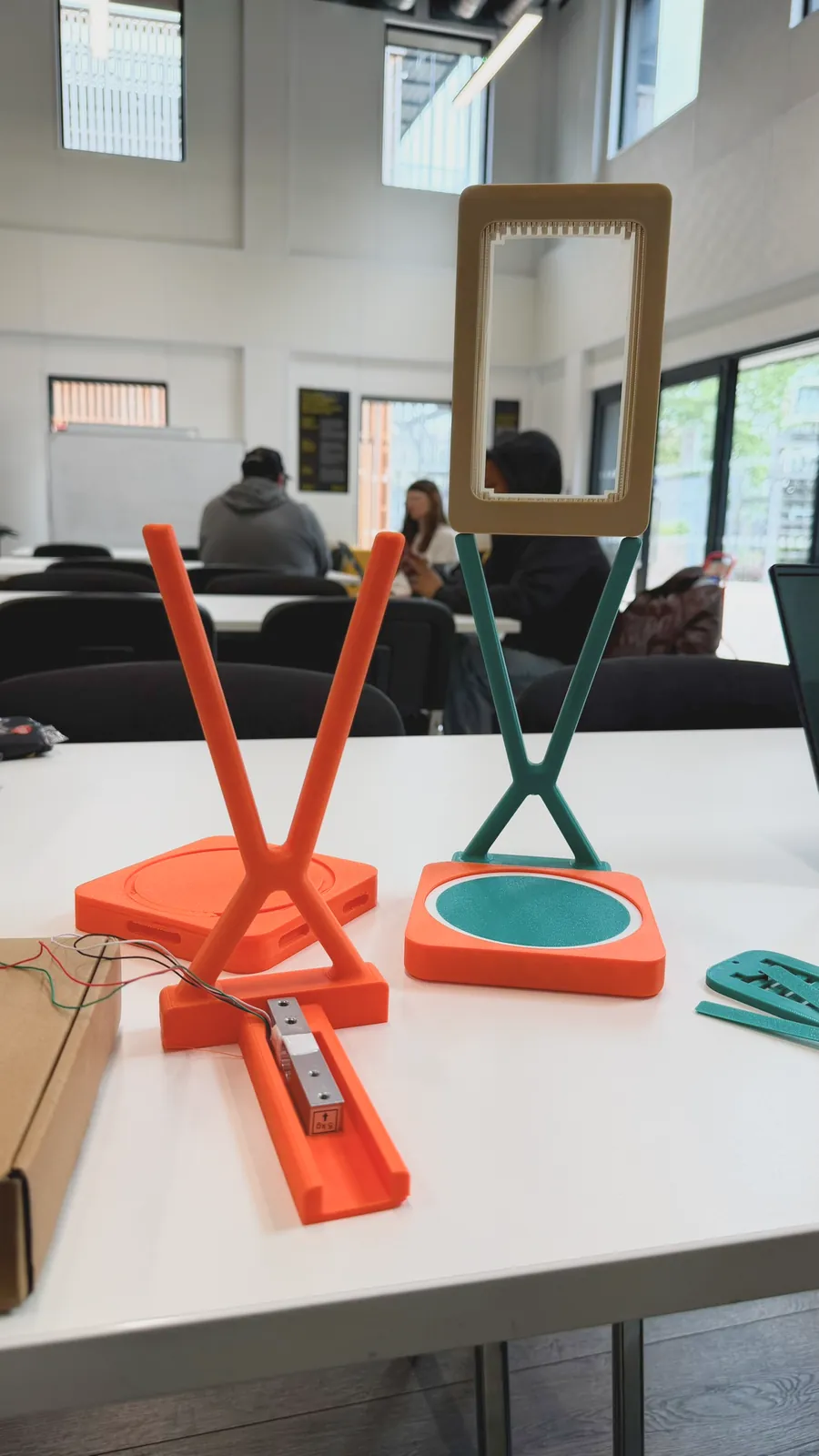
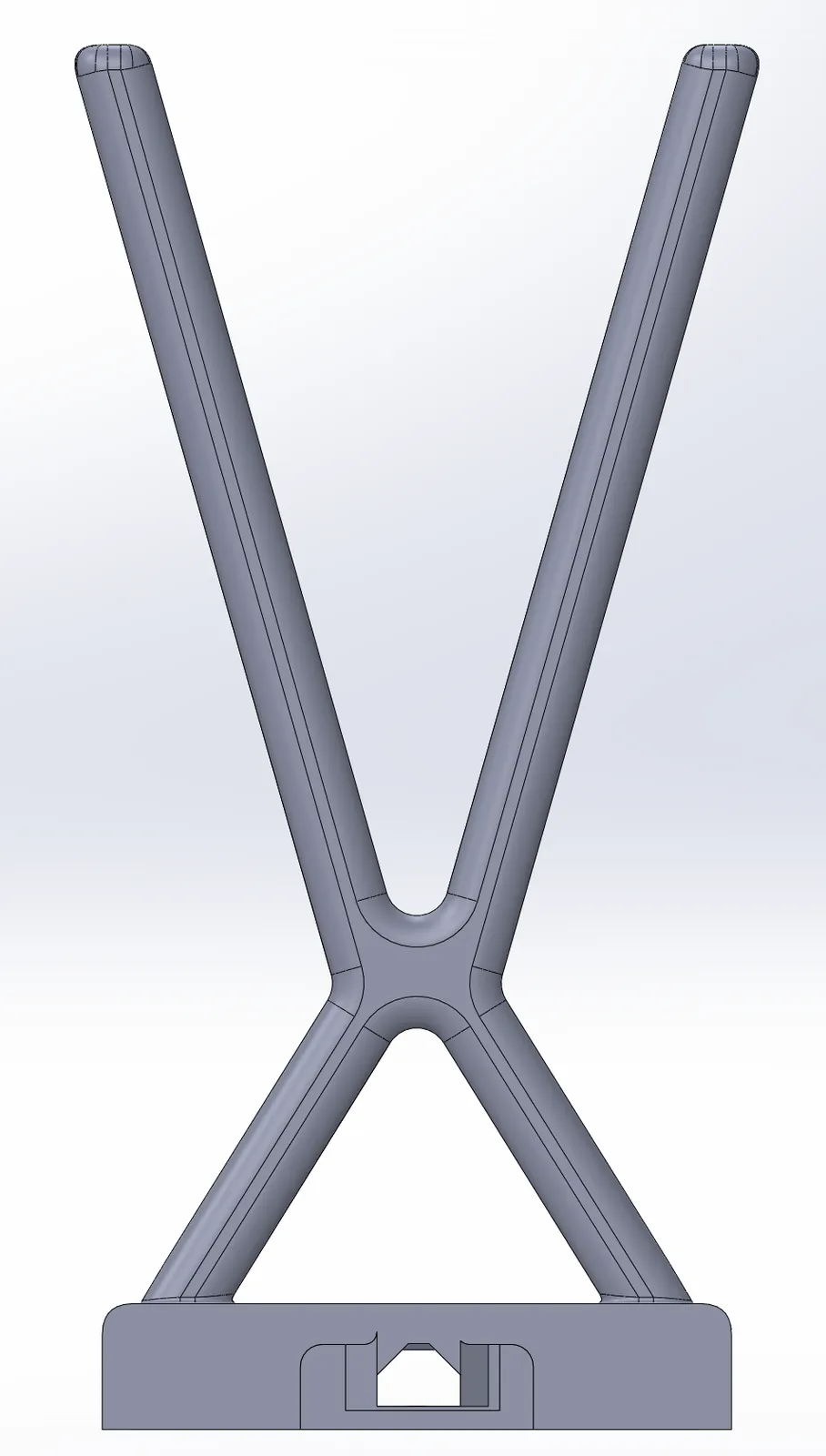
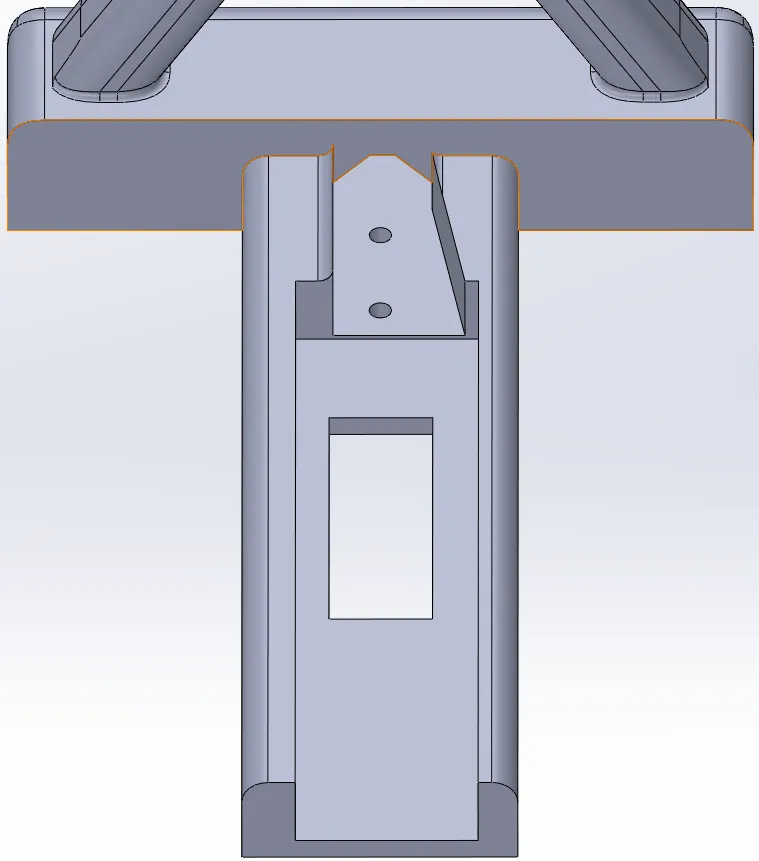
The base
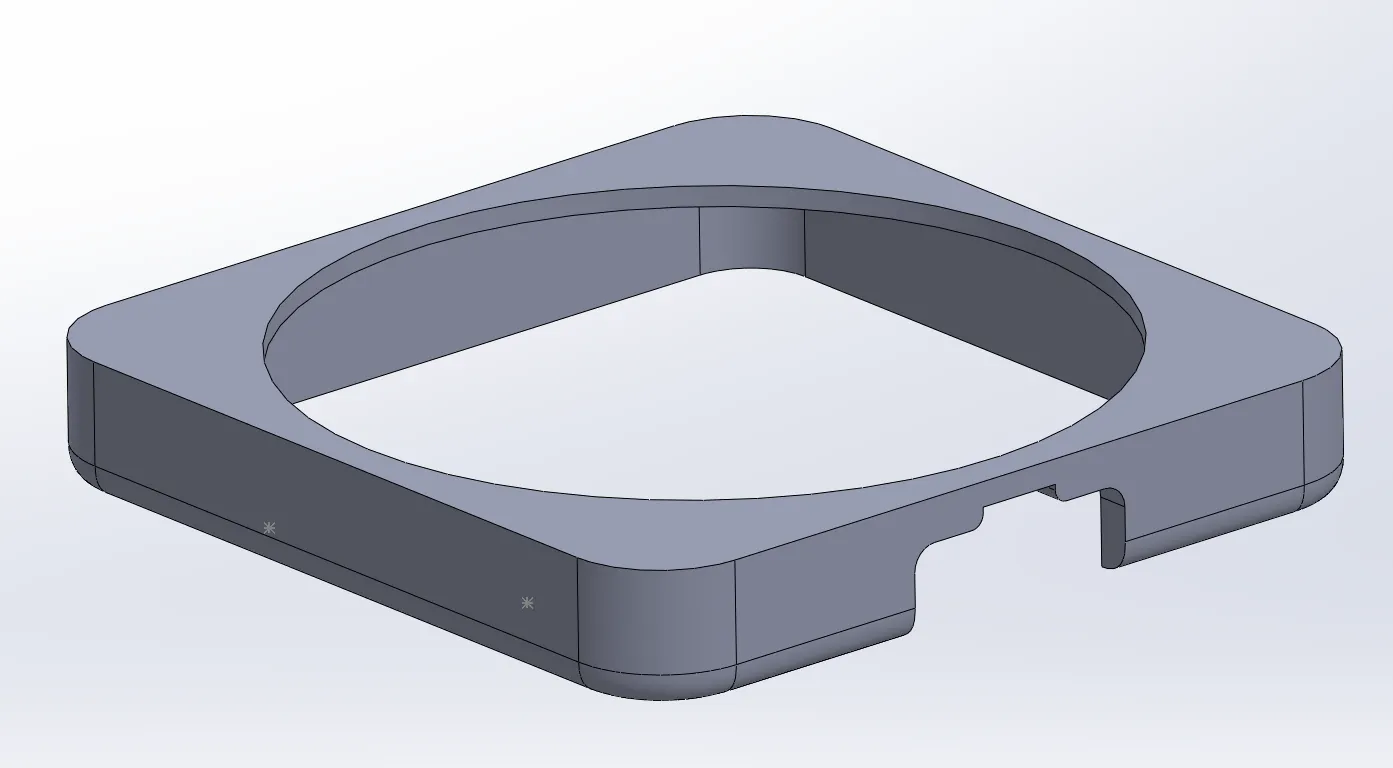
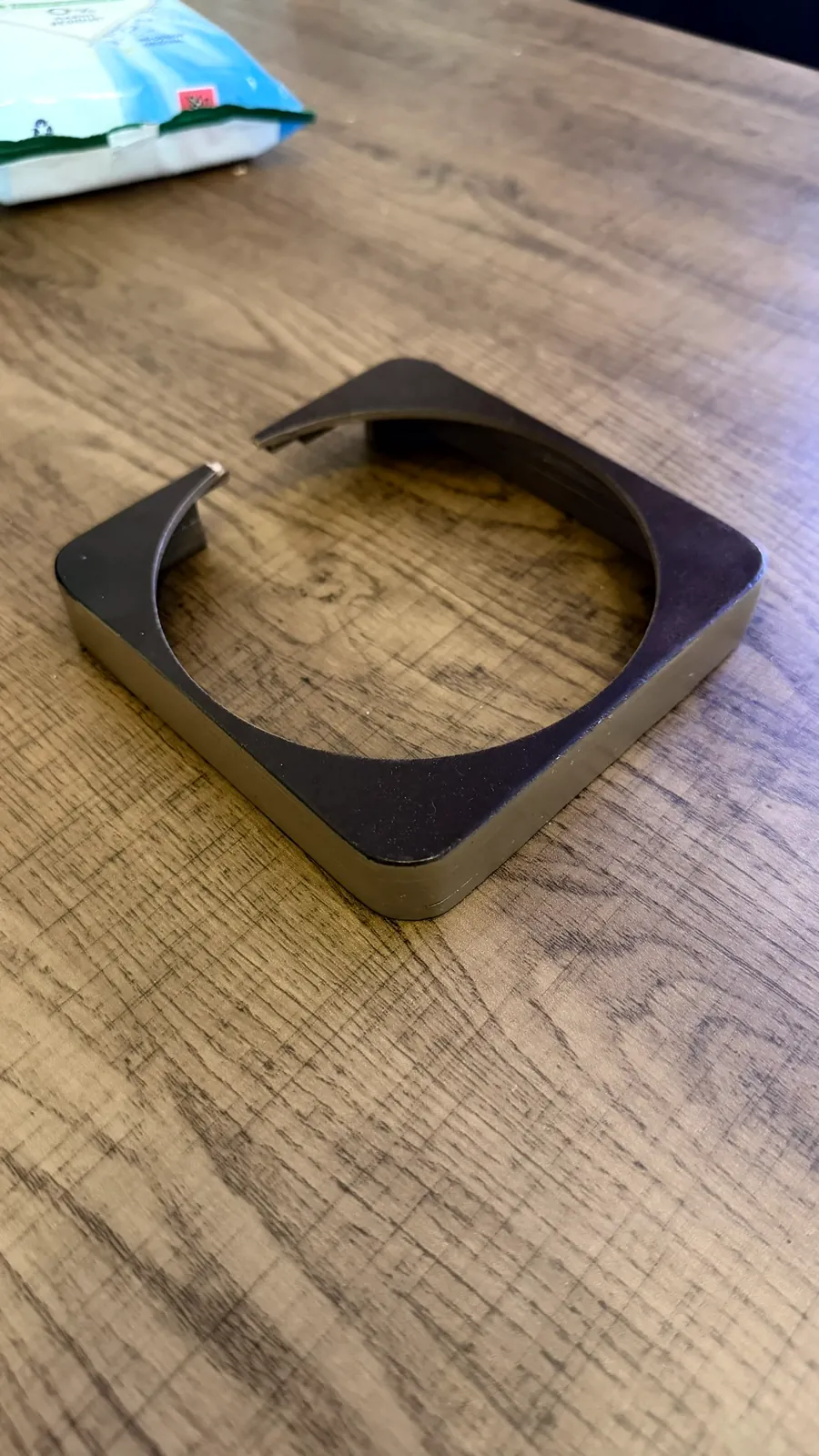
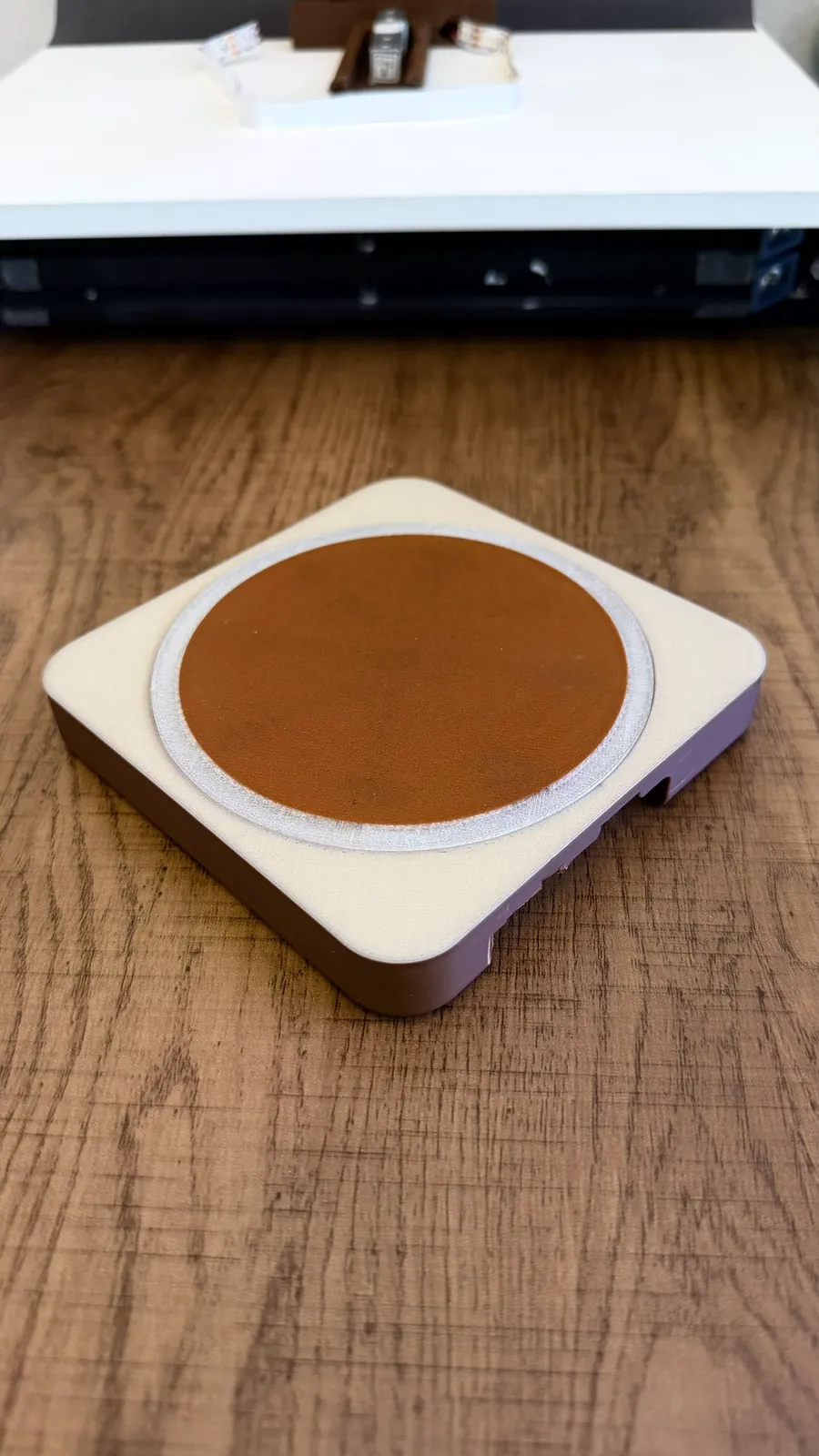
The base shares the same radius as everything else. A rear cut-out takes the stand. The top is flat so drinks can't slide off, and the underside curves inward so the base seems to float off the counter. We tried stacked, finished plywood as an alternative to CNC, but the quality wasn't good enough. The final base is multi-material FDM: two colours of PLA with a translucent PETG ring so the LED glow comes through.
Why not wood?
Wood looked lovely, and we explored oak and a CNC-routed base. Then the head barista explained why café bars are stainless steel: wood is hard to clean, it stains, and it swells in a hot, wet environment. Cleaning and health and safety outweighed the look, so we went back to plastics for the parts that meet the counter.
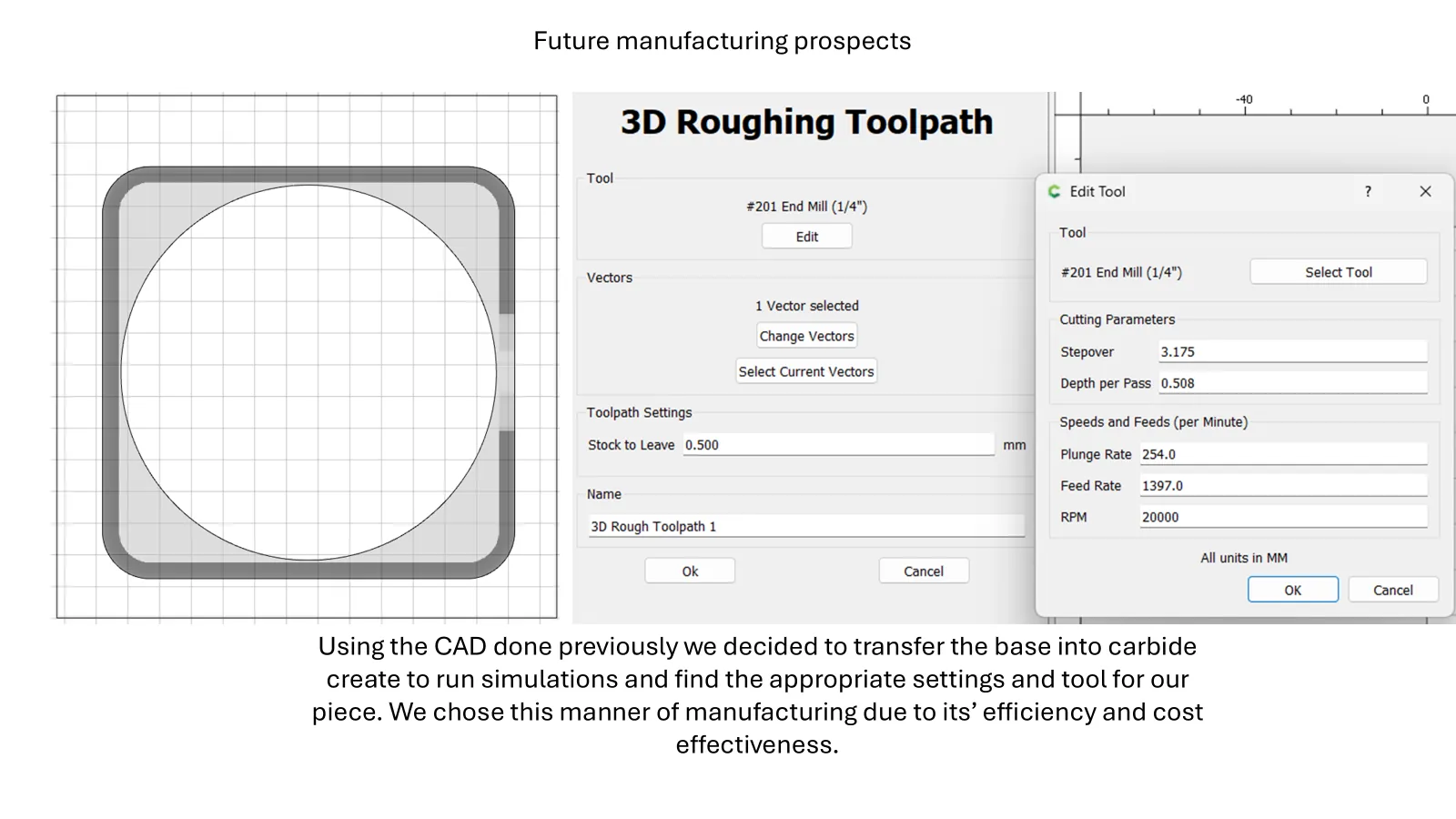
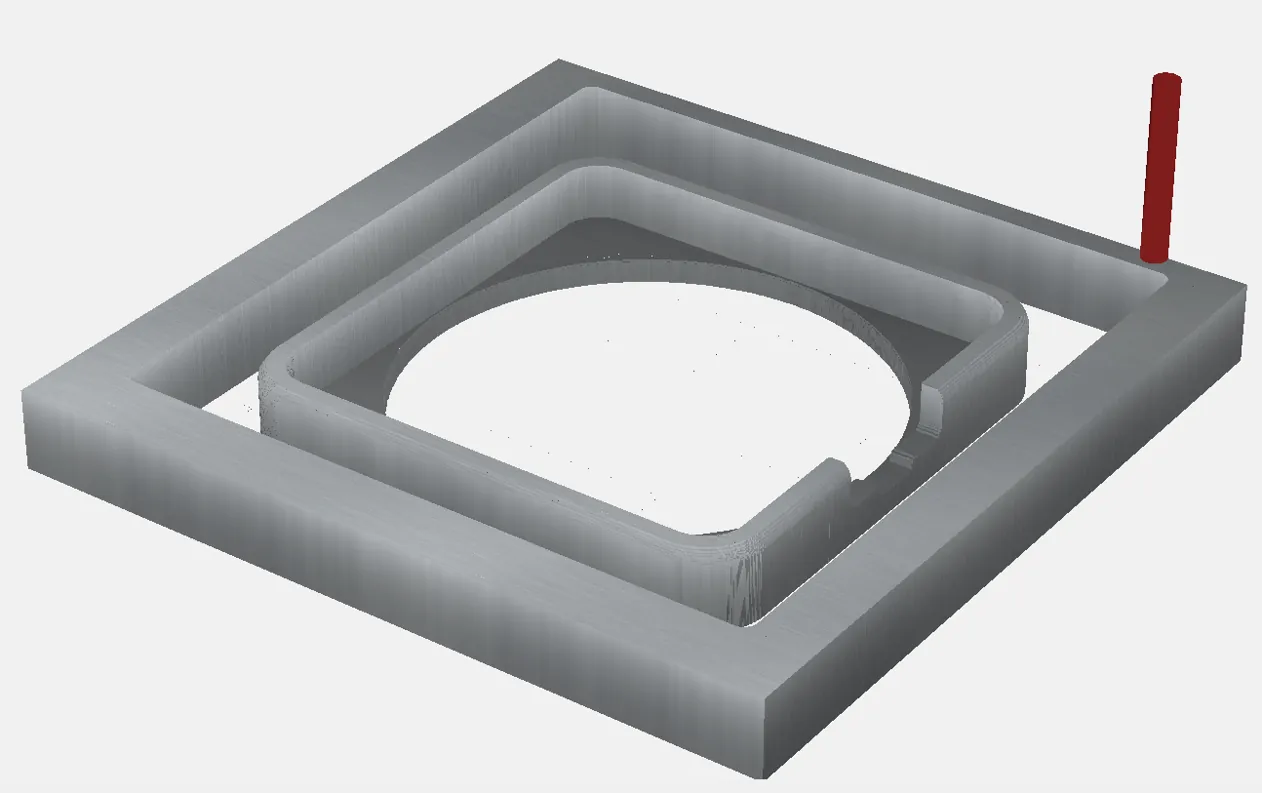
We kept a CNC pathway for the future. The available cutters couldn't reproduce the design's hard corners, so the plan was to rough-cut and hand-sand, and later automate finishing to raise output and cut cost. We roughed out the toolpaths, but university constraints stopped it there.
Prototype materials now, café materials next
Every candidate was judged on heat resistance, hygiene, food safety, durability, manufacturability, look and suitability for a busy café. PLA is perfect for fast iteration but fails the café tests. Polypropylene and stainless steel are where a production version should go.
| Material | Heat | Hygiene | Food safety | Durability | Making | Look | Café use |
|---|---|---|---|---|---|---|---|
| PLA | |||||||
| Polypropylene | |||||||
| Nylon (white FS) | |||||||
| Oak | |||||||
| Plywood | |||||||
| Stainless steel |
What the prototype is made of
| Material | Used for | Why |
|---|---|---|
| PLA | Most printed parts: screen cover, stand, mount, base shell | Easy to print, low cost and a neat finish for quick iterations |
| PETG (translucent) | The light ring in the base | Tougher than PLA and prints clear, so the LEDs shine through |
| Plywood | The electronics panel behind the screen | Strong, stable and affordable for a structural board |
A scale, a screen and a light, talking over Wi-Fi
Components were picked to be reliable, well documented, easy to source and ready for more features later.
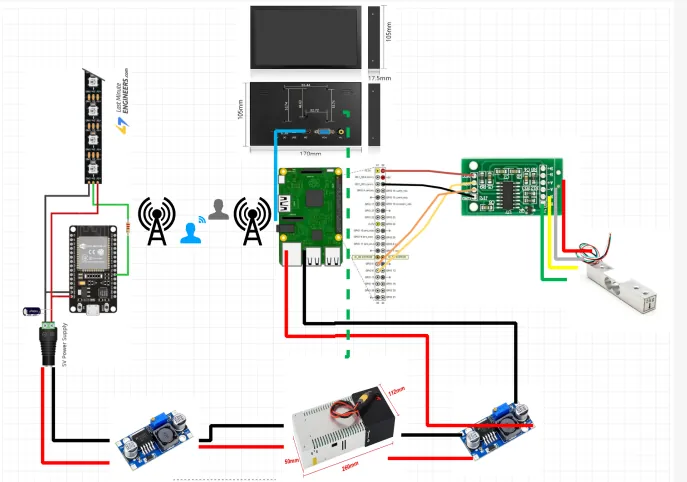
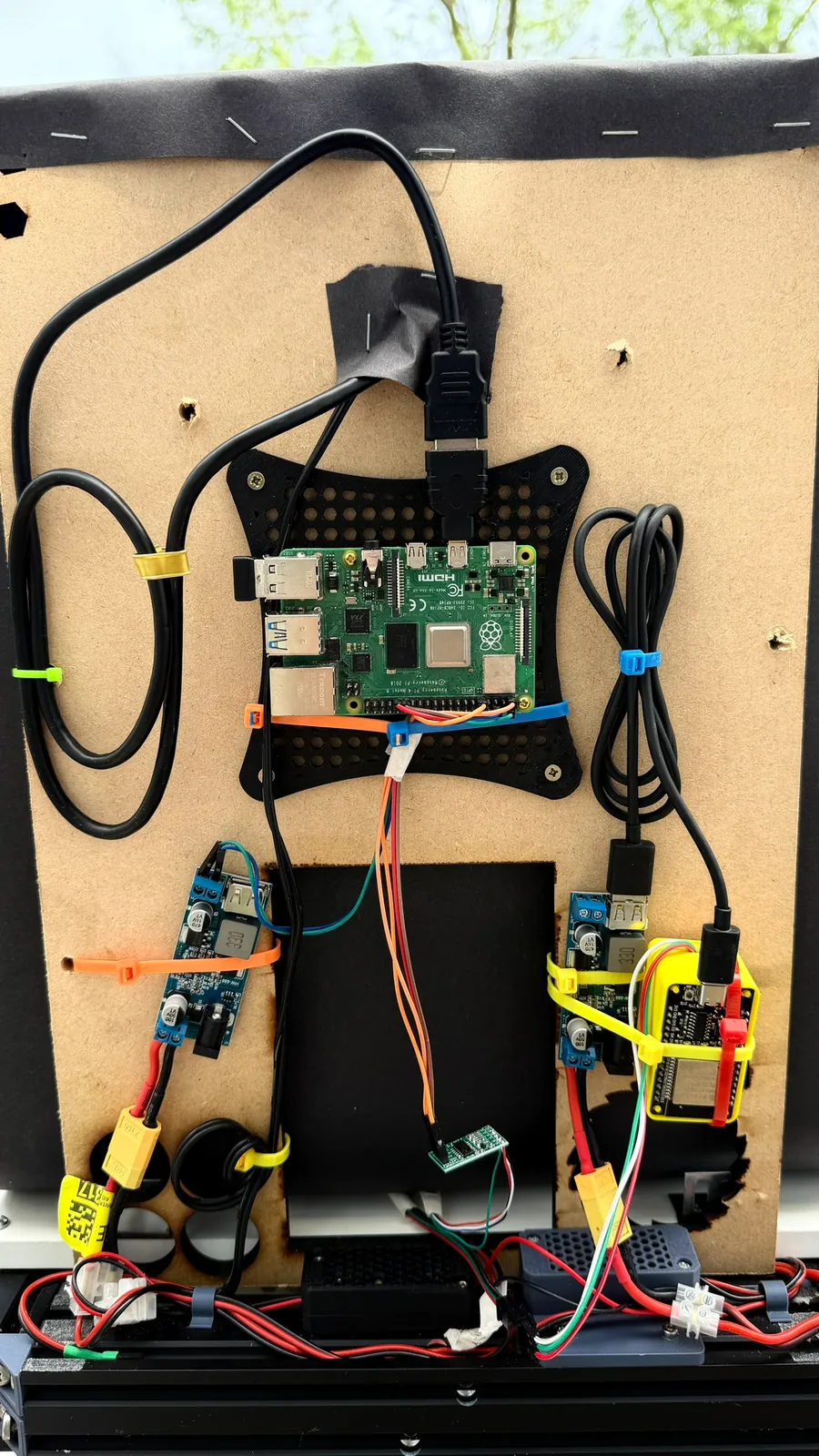
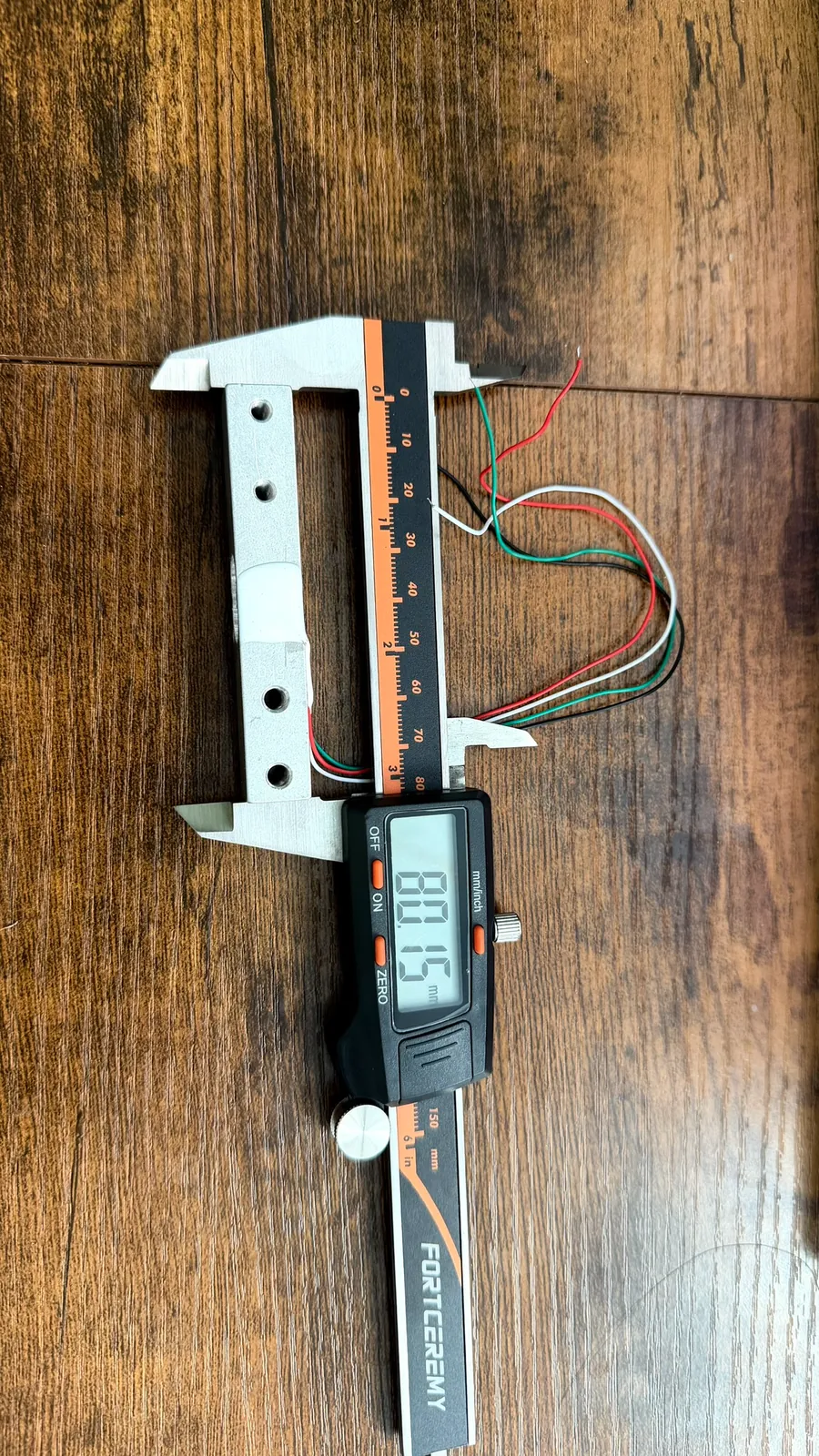
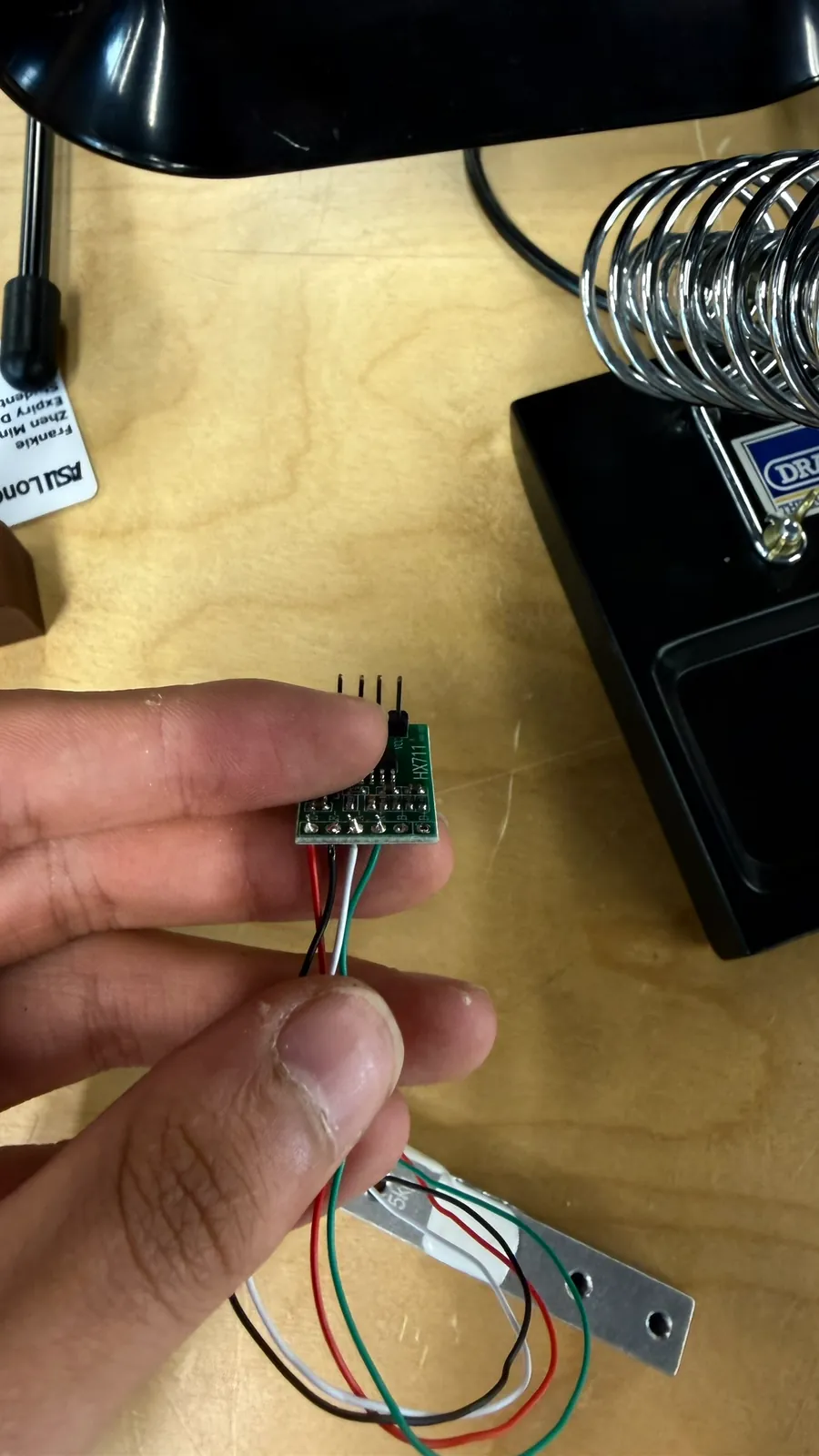
A 5 kg load cell sits under the coaster. It's the smallest this maker offers in that form factor, and a coffee will never come close to its limit. Its tiny signal goes through an HX711 amplifier into the Raspberry Pi 4's GPIO. A background Python script reads the weight and streams it over a local WebSocket to the web interface, which runs full screen on a 7-inch portable monitor in portrait. That screen was chosen because standard Pi and Arduino displays were too small. It has good viewing angles and built-in speakers, so the voice and chimes travel over the same HDMI cable.
The light is a separate system: an ESP32 running WLED, the open-source firmware for addressable LED strips. Because it's controlled over the network, the lighting isn't tied to the device. It could be moved, extended or mounted on a wall later without rewiring anything.
Dignity is a design requirement
An assistive product that marks its user out as "the one who needs help" fails, however well it works. BrewFlow is styled as a universal barista tool so no one is singled out. Its wording, icons and light behaviour were shaped with BSK crew and staff, and calm layouts with redundant cues keep the load low for everyone.
| Risk | Mitigation |
|---|---|
| Stigma | Neutral café styling that reads as a barista tool, not an assistive device |
| Over-reliance | Steps teach the real sequence, so confidence builds instead of dependence |
| Sensory overload | Calm, non-flickering light, quiet sounds and one step per screen |
| Misconfiguration | Recipes built from reusable step types, with documented symbol and colour sets |
Built to be repaired, not replaced
Housings and electronics are modular, so a broken part can be swapped instead of binning the whole unit, and hardware can be reused or refurbished. We were open about the prototype's limits around heat, moisture and durability: a production version needs sealed, food-safe housings in materials like polypropylene and stainless steel.
The finished prototype
Five designers, eleven weeks
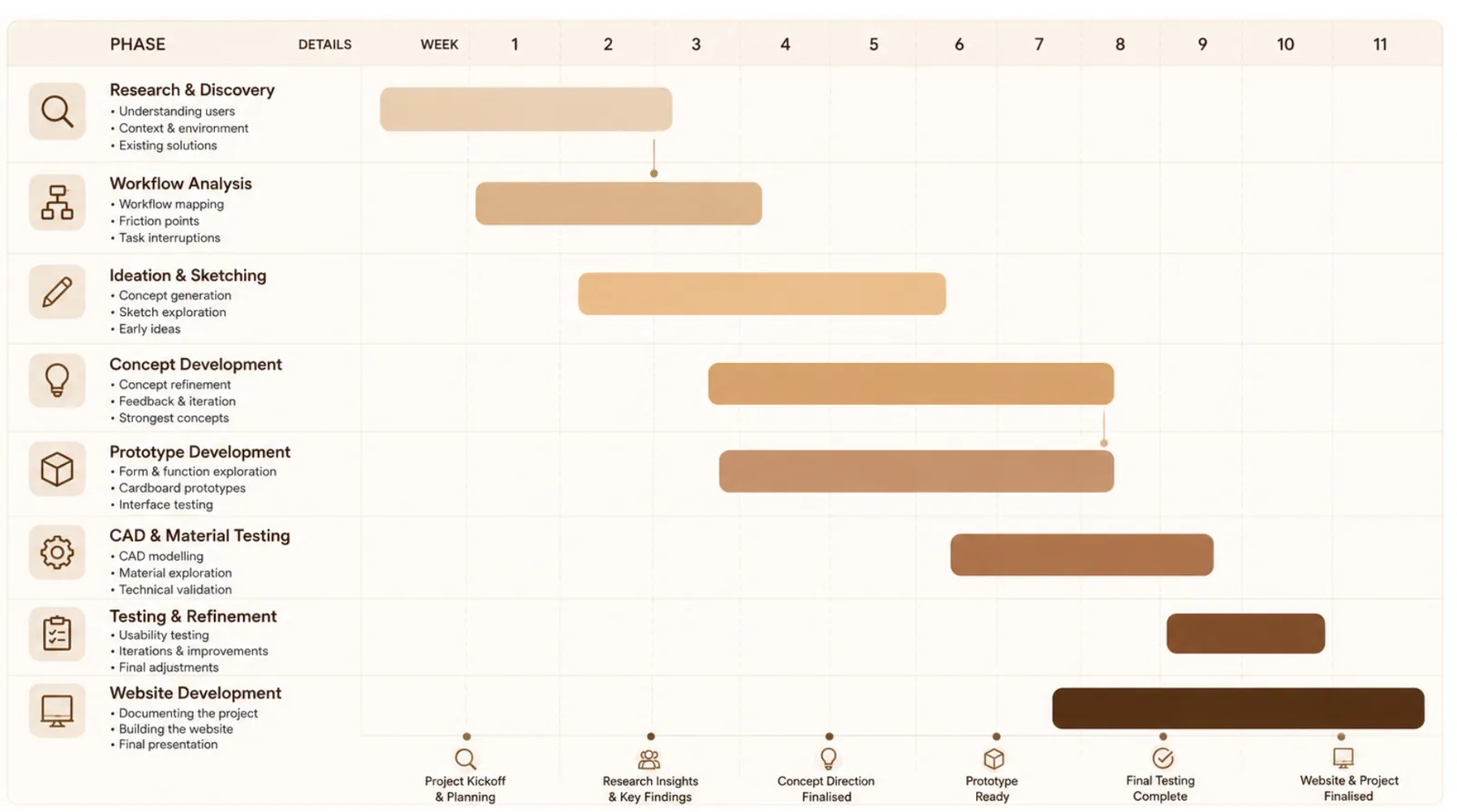
We followed a five-stage design thinking process (empathise, define, ideate, prototype, test) with overlapping phases, so research kept feeding the design right up to the final build.
Frankie Pang
Product design, all code and UI, CAD and unifying the parts, final build, plus research, ideation and the website
Maxinne Huybreckx
Research, workflow analysis, ideation, CAD, website
Daniel Goncalves
Research, ideation, CAD, testing & final design
James Okeowo
Research, ideation, prototyping
Benecia Odogu
Research, ideation
What I'm taking forward
- Accessibility is cheapest at the start. Because it was a requirement from day one, it shaped the form, the interface and the electronics together, instead of being bolted on as a mode or accessory.
- Say it more than one way. Picture, words, sound and light each reach someone the others might miss, and together they make the product easier for everyone.
- Let the object explain itself. A pad that is obviously where the cup goes and a bar that fills as you pour do more than any instruction card.
- Listen to the people who do the job. One barista's comment about cleaning wood changed our material direction completely.
- Elegant and simple can be the same thing. The calm, warm look isn't decoration. It's part of what keeps the experience low-stress.
This project was documented in full on the team's Living Lab project site. Third-party product and stock photos from that site are not reproduced here.